
How to place an order with the Web booking app

Learn the steps of placing an order in Web app.

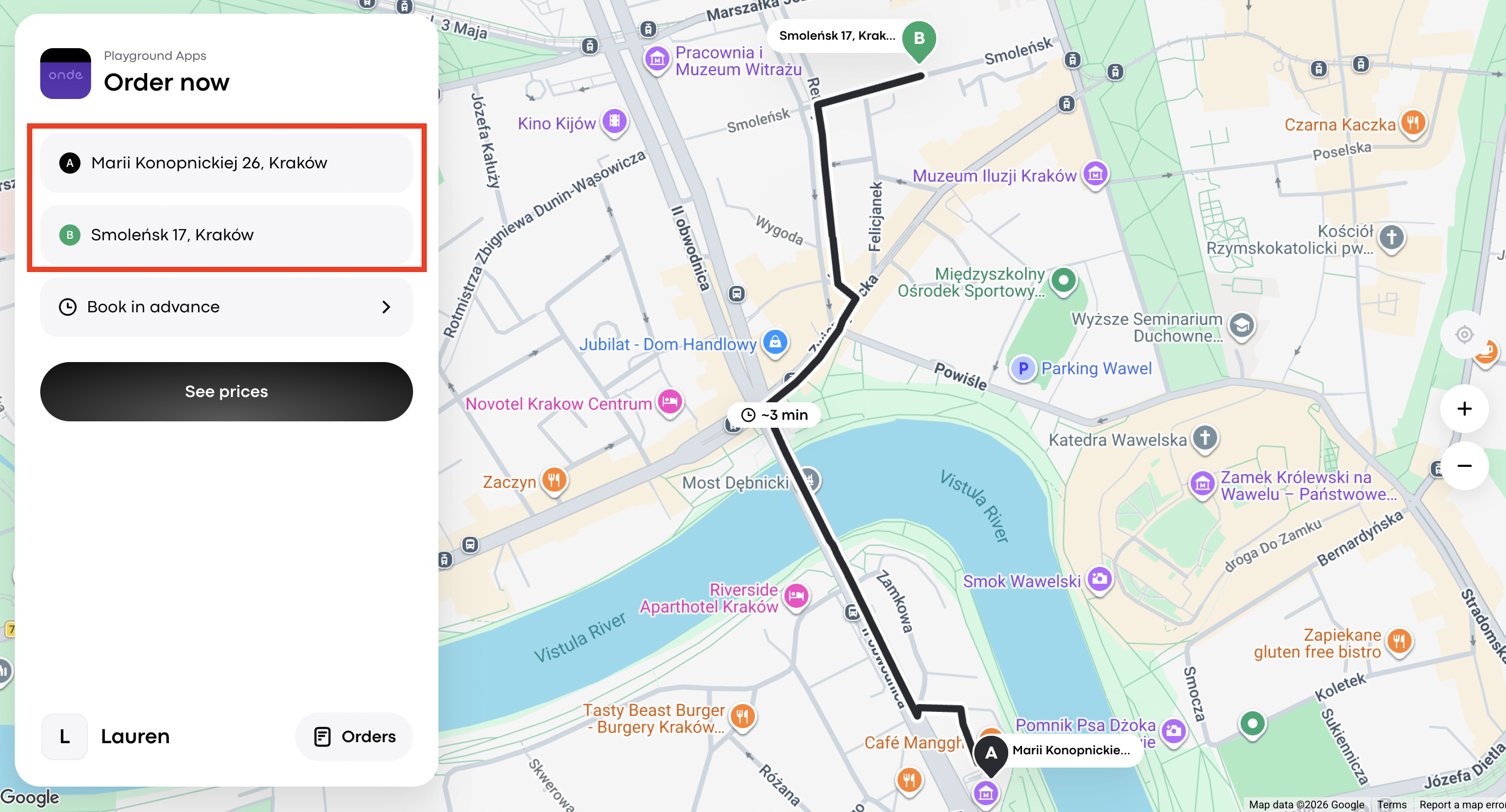
1. Go to Web app and enter your pickup and drop-off locations. Check the route and click See prices. 
2. You'll see the list of available service options and estimated trip cost, as well as the option to add a special note for the driver.

Add a note if needed, and select the preferred service by tapping on the corresponding car icon.
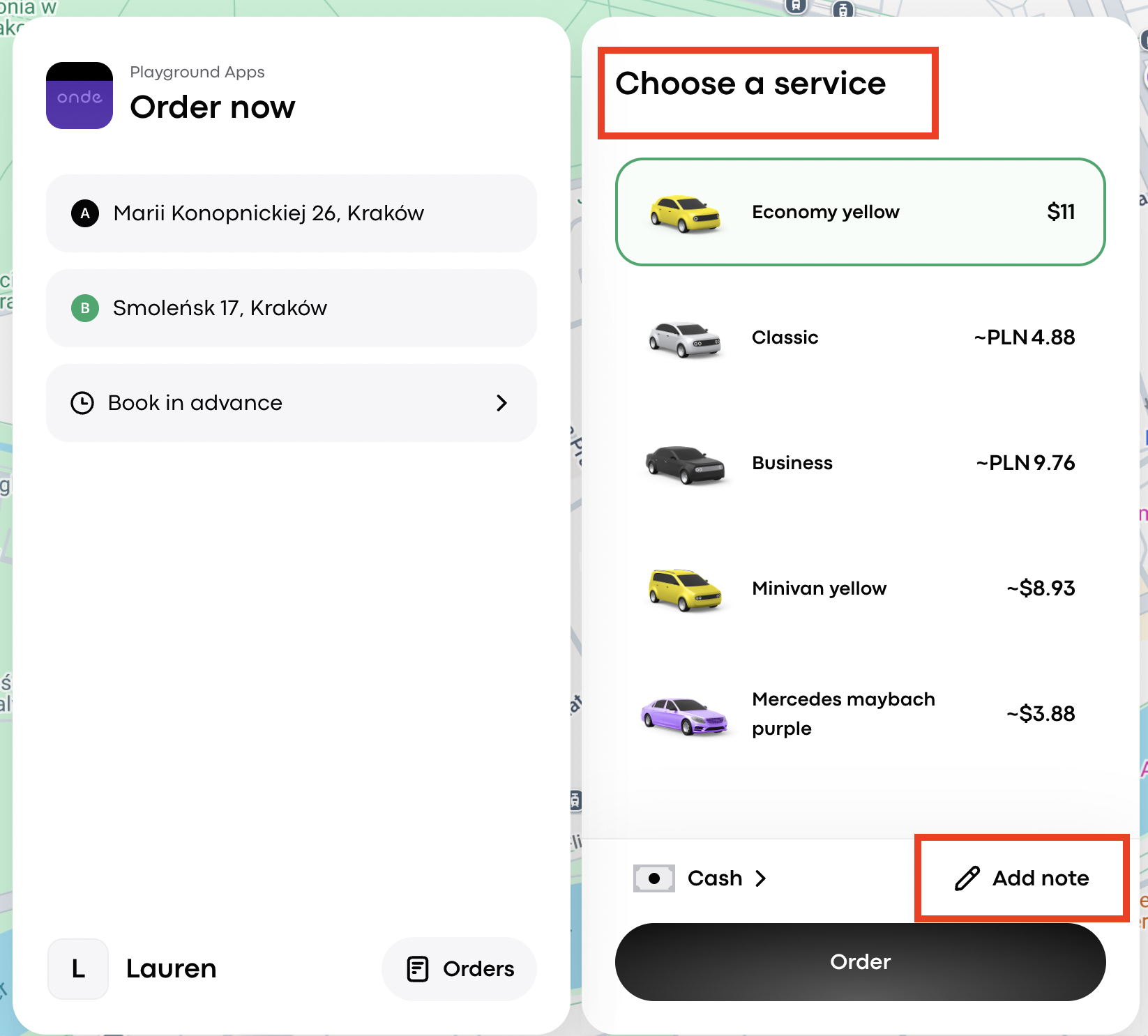
Playground Apps Order now screen shows pickup and destination addresses, service choices with Economy yellow selected, payment and order controls; red boxes highlight Choose a service and Add note. Visible: Playground Apps, Order now, Marii Konopnickiej 26, Kraków, Smoleńsk 17, Kraków, Book in advan

3. Next, select the preferred payment method. The Web App now allows you to choose between:

  • Cash

  • Terminal, if the business has a terminal connected and this option is available.

Сlick Save.
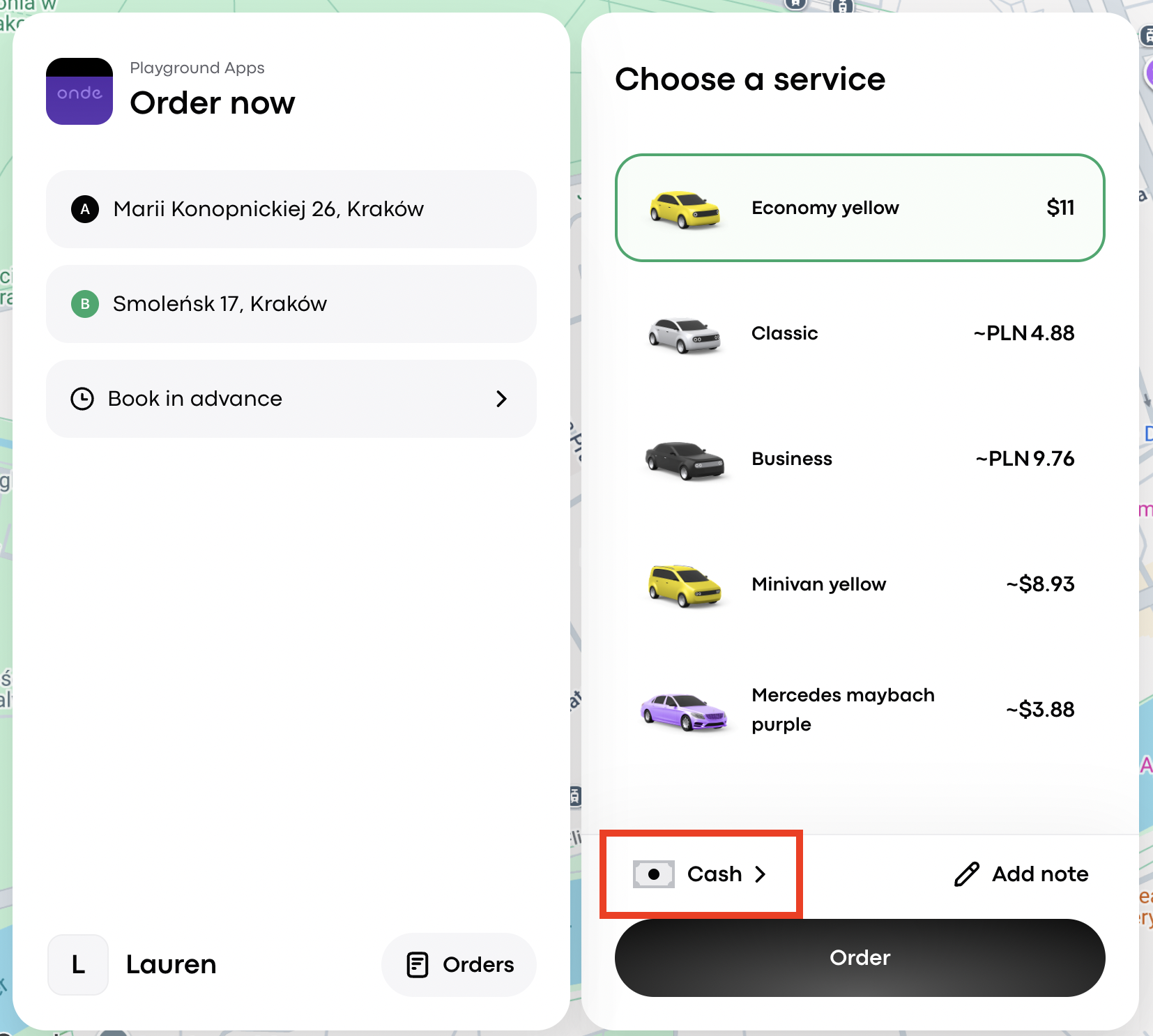
Order now screen shows pickup and destination addresses beside a service list, with the Cash payment option outlined in red. Visible: Playground Apps, Order now, Marii Konopnickiej 26, Kraków, Smoleńsk 17, Kraków, Book in advance, Choose a service.

4.  Review order details and click Order. The search for the driver will begin — track the order assignment and driver details in the order form field.
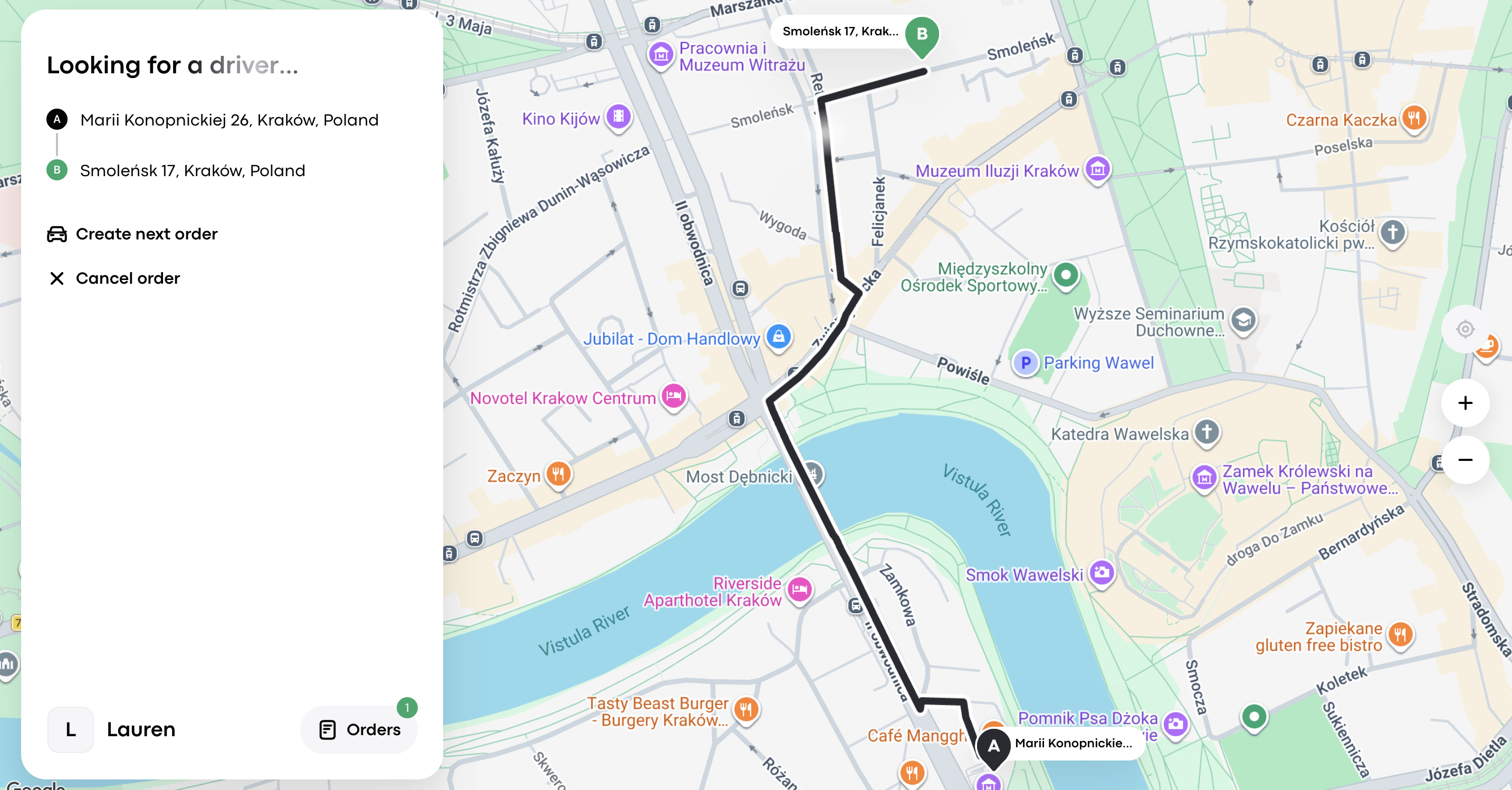
Order-tracking screen shows “Looking for a driver...” with pickup A and destination B, plus the route across Kraków on a map. Visible: Looking for a driver..., Marii Konopnickiej 26, Kraków, Poland, Smoleńsk 17, Kraków, Poland, Create next order, Cancel order, Lauren.

5. If necessary, you can cancel the order by tapping on Cancel order.
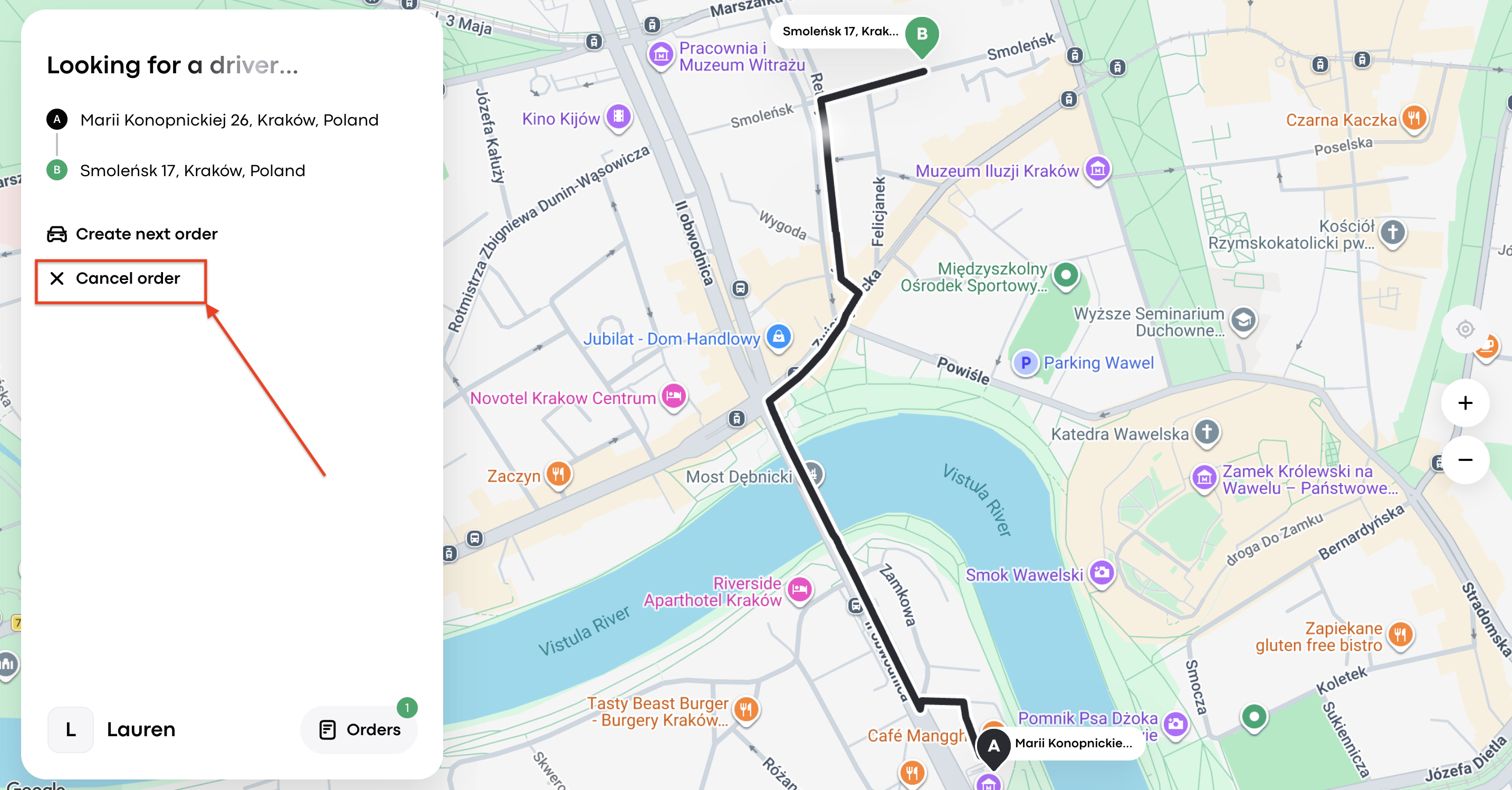
An order screen says “Looking for a driver...” and shows a Kraków route map; a red arrow points to Cancel order in the left panel. Visible: Looking for a driver..., Marii Konopnickiej 26, Kraków, Poland, Smoleńsk 17, Kraków, Poland, Create next order, Cancel order, Lauren.


Did this answer your question?
😞
😐
😁