company logo

Onde.Light Help Сenter

Go to Onde.Light
Terms & ConditionsPrivacy policy
All collectionsWeb booking appHow to log in to Web booking app?

How to log in to Web booking app?

Learn about logging in to Web app

Steps to log in:

1. Go to My hub, in the left-hand menu scroll to Settings and click Applications & services.
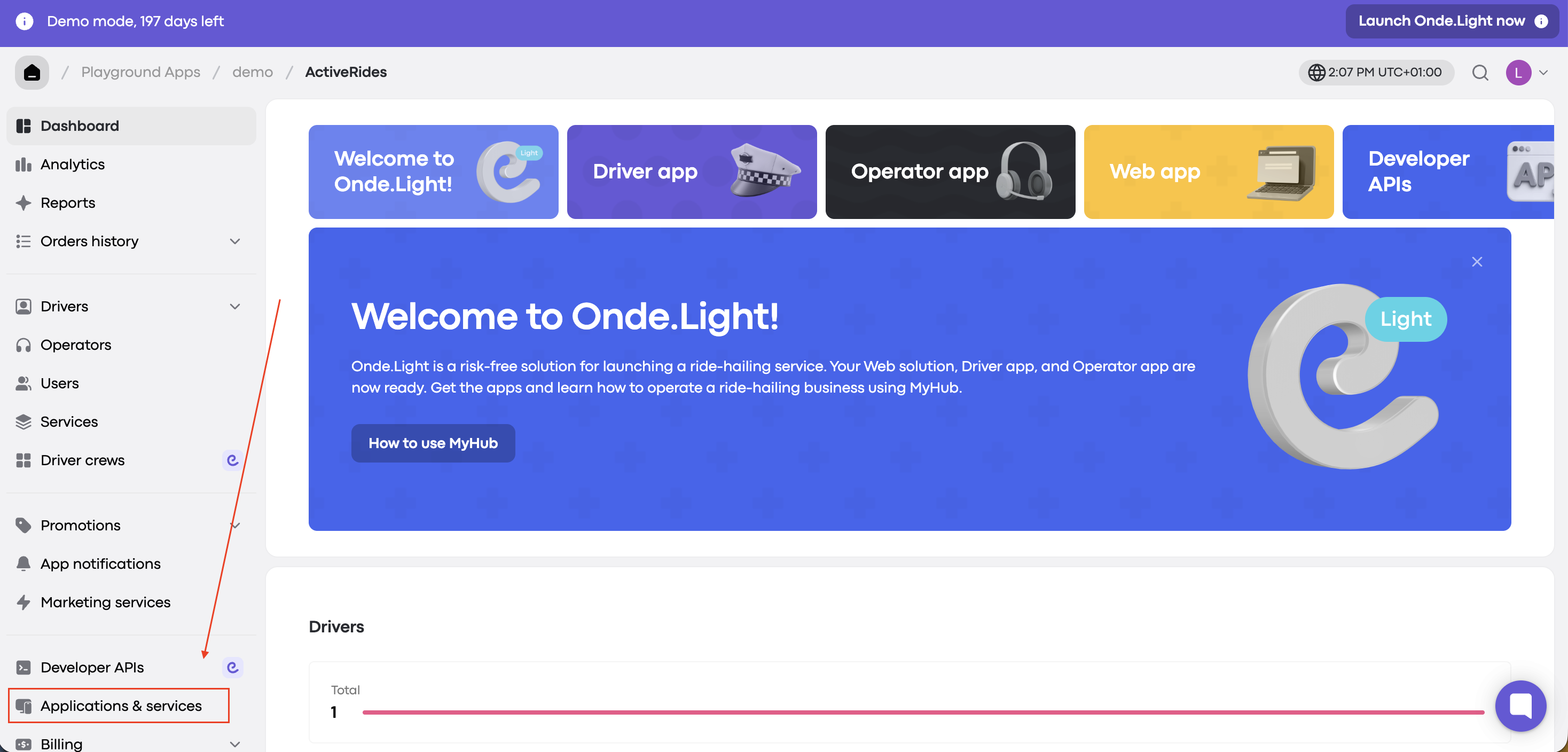
MyHub dashboard for ActiveRides, with a red arrow pointing to Developer APIs and a red rectangle highlighting Applications & services in the left navigation. Visible: Demo mode, 197 days left, Launch Onde.Light now, Playground Apps, demo, ActiveRides, Dashboard.

2. In the Applications tab, scroll down to Web app and click the Go to Web App button.
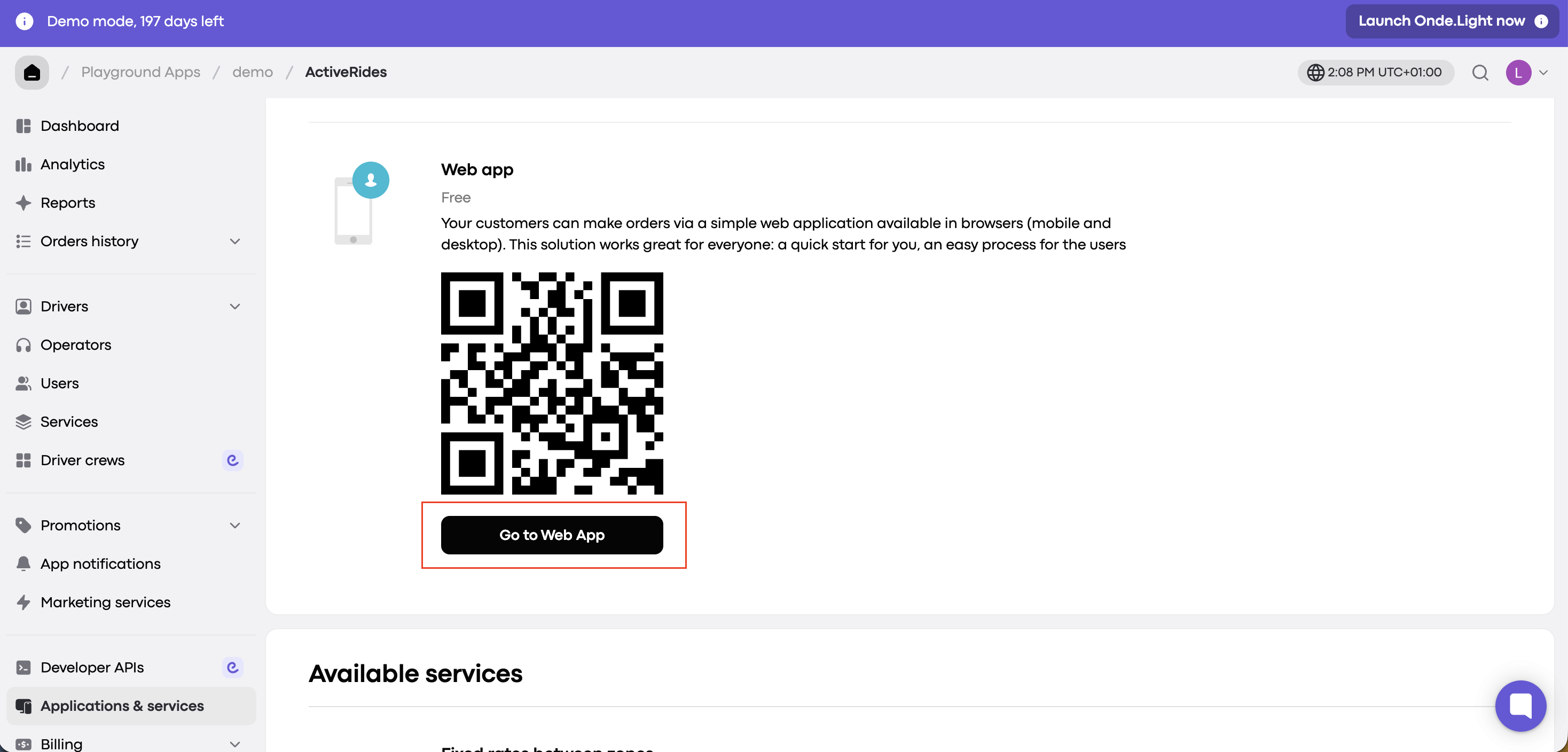
The ActiveRides Applications & services page shows the Web app QR code, with a red outline highlighting the Go to Web App button. Visible: ActiveRides, Applications & services, Web app, Free, Go to Web App, Available services.

3. Once the Web app opens, tap Log in in the lower left corner of the screen. 

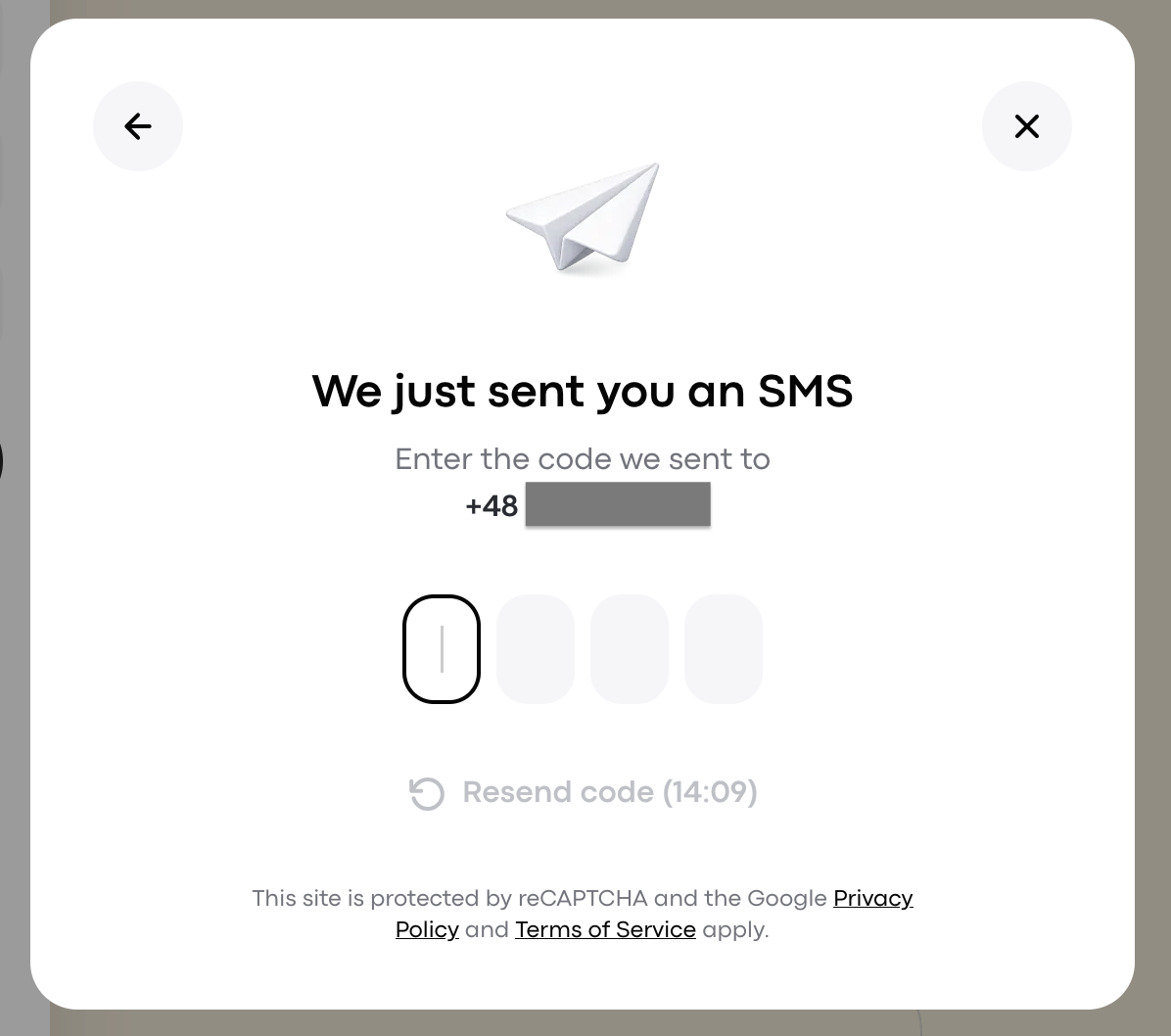
4. In the pop up window, enter your phone number and click Continue. When you receive the SMS verification code, paste it in.
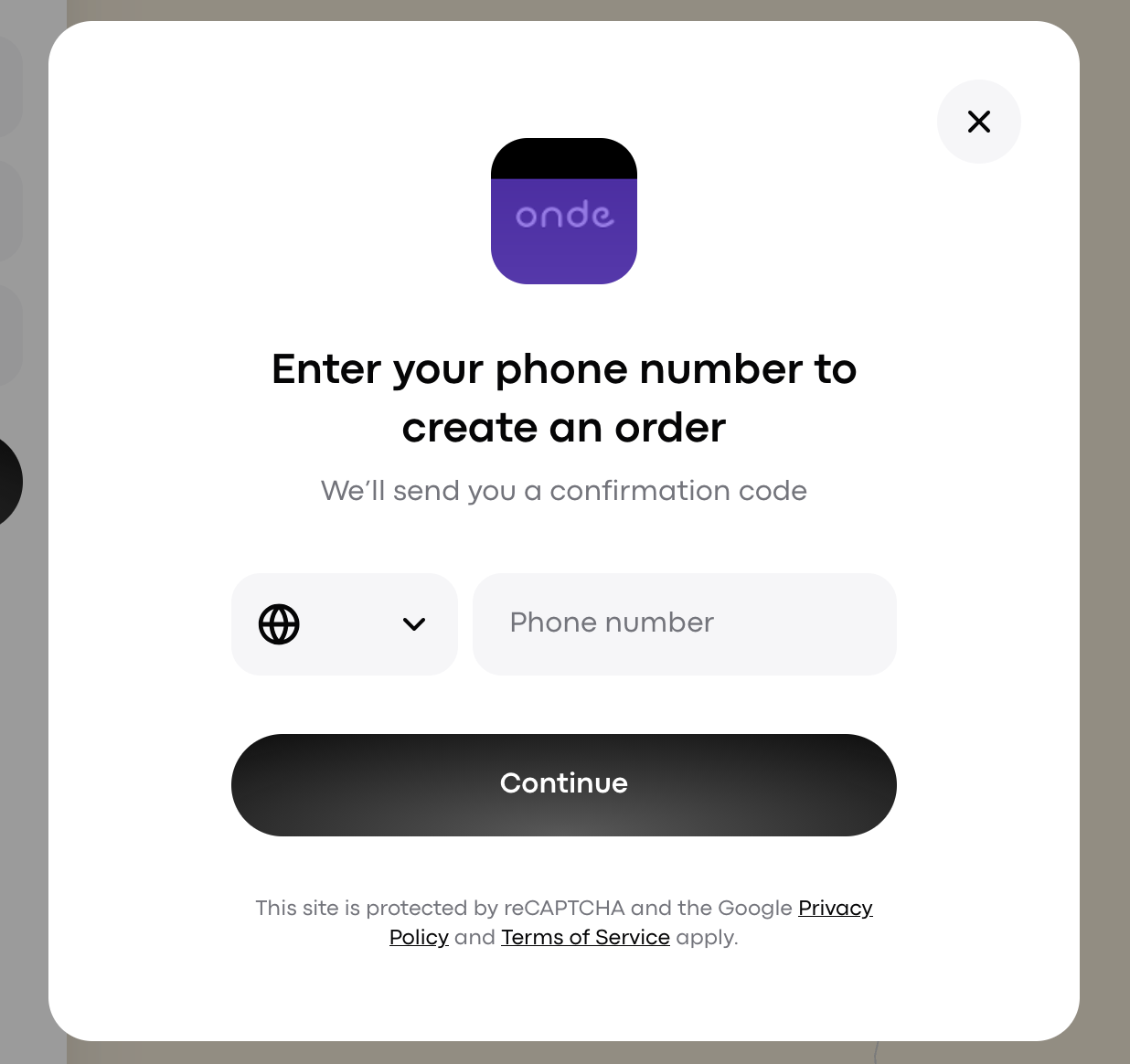
Onde phone verification modal for creating an order, with a country code selector, phone number field, Continue button, and close control. Visible: onde, Enter your phone number to create an order, We’ll send you a confirmation code, Phone number, Continue, This site is protected by reCAPTCHA and th
SMS verification screen prompting the user to enter a four-digit code sent to a partially obscured phone number. Visible: We just sent you an SMS, Enter the code we sent to, +48, Resend code (14:09), This site is protected by reCAPTCHA and the Google, Privacy.

You’ll stay logged in until you manually log out.


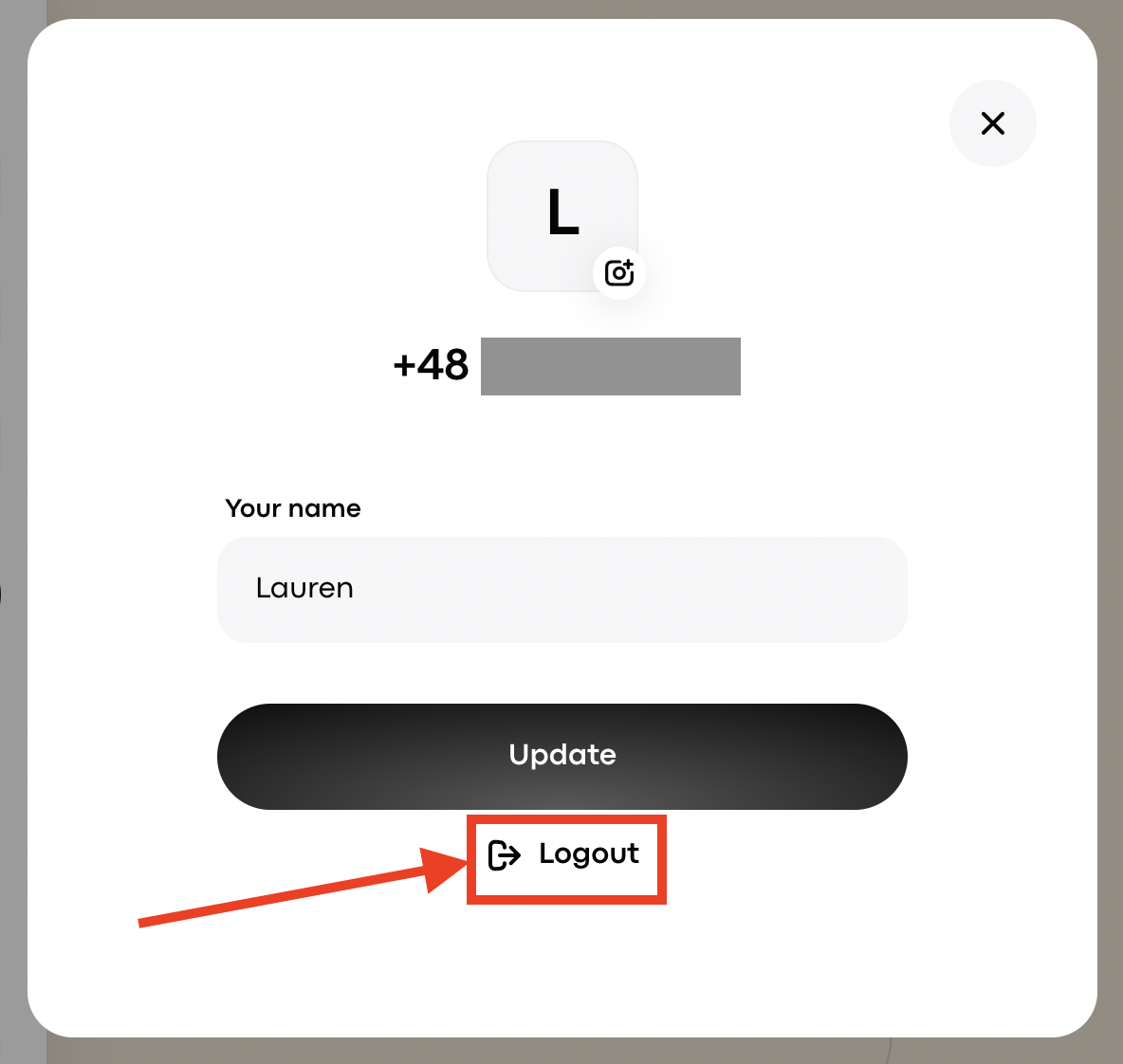
To log out of Web app:

  • Tap your profile icon in the lower left corner of the Web app.

  • Select Logout.

A profile edit screen shows an avatar, phone number, name field, and Update button; a red arrow and box highlight Logout. Visible: L, +48, Your name, Lauren, Update, Logout.


Did this answer your question?
😞
😐
😁