
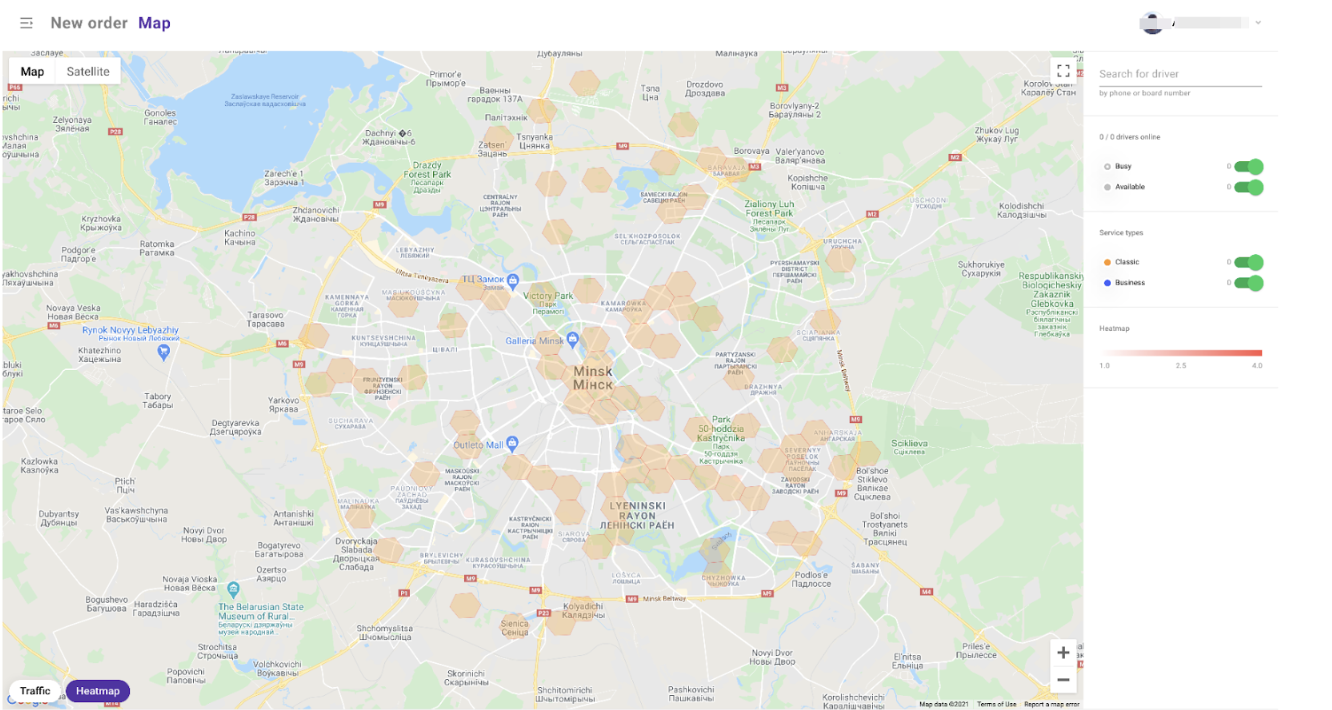
The Heat Map helps operators and drivers track high-demand areas where there aren't enough drivers to handle orders. It updates every 15 minutes, making it easier to manage coverage and reduce lost orders.
How it works
Hot zones appear when there are more orders than available drivers.
Uncolored zones indicate areas with sufficient driver coverage.
Brighter colors indicate a bigger driver shortage.
Benefits
Identifies demand spikes in real time.
Helps operators direct drivers to busy areas.
Allows drivers to move to high-demand zones for more trips.
Analyzes trends to predict future hot spots.
How to activate the Heat Map
For Operators: Enable in My hub > Operators > Settings.
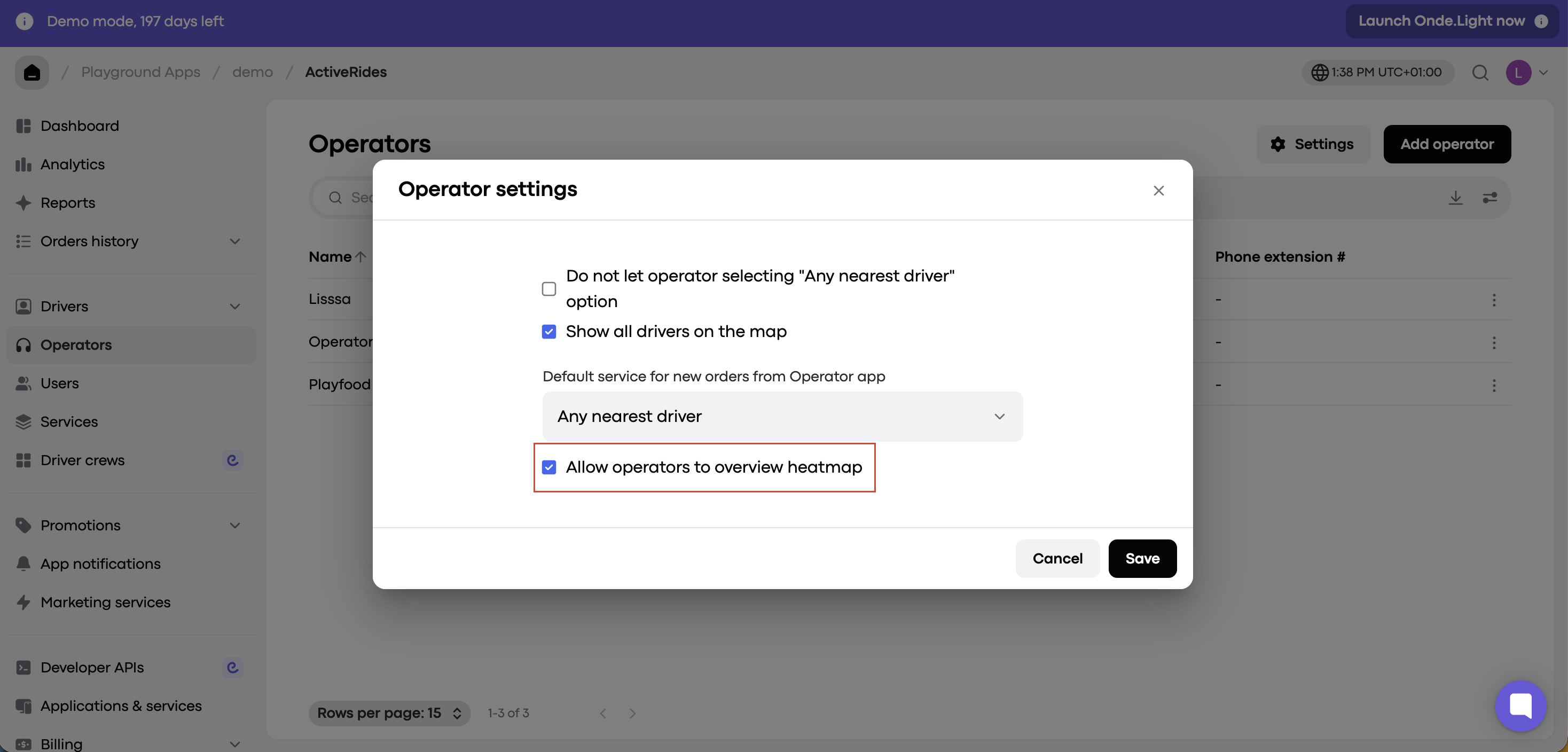
Each operator can switch the "Heat Map" on or off directly from the Operator app.
For drivers the “heat map” is activated via My hub > Drivers > Drivers management > Settings.
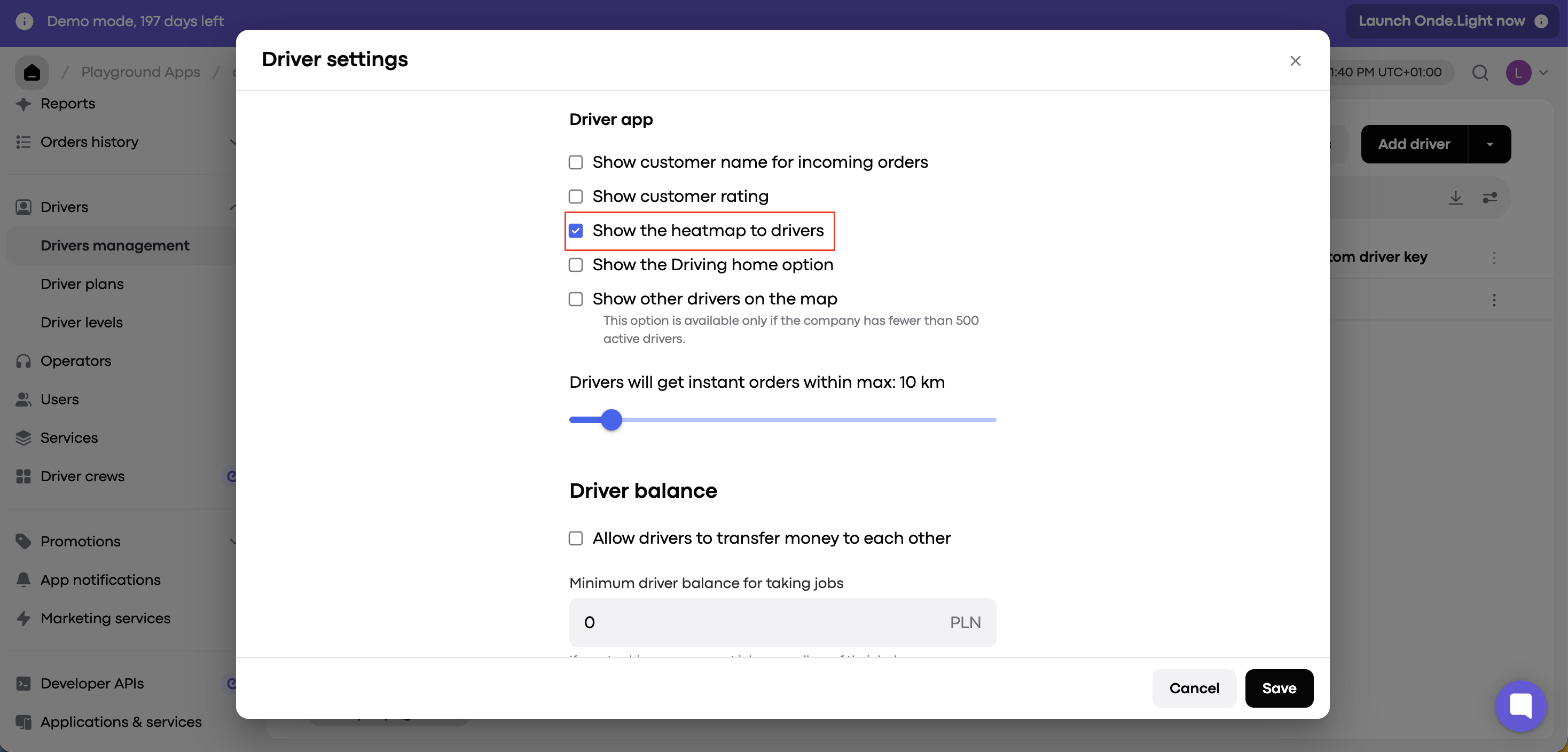
Drivers can enable or disable the Heat Map visualization directly from their app.