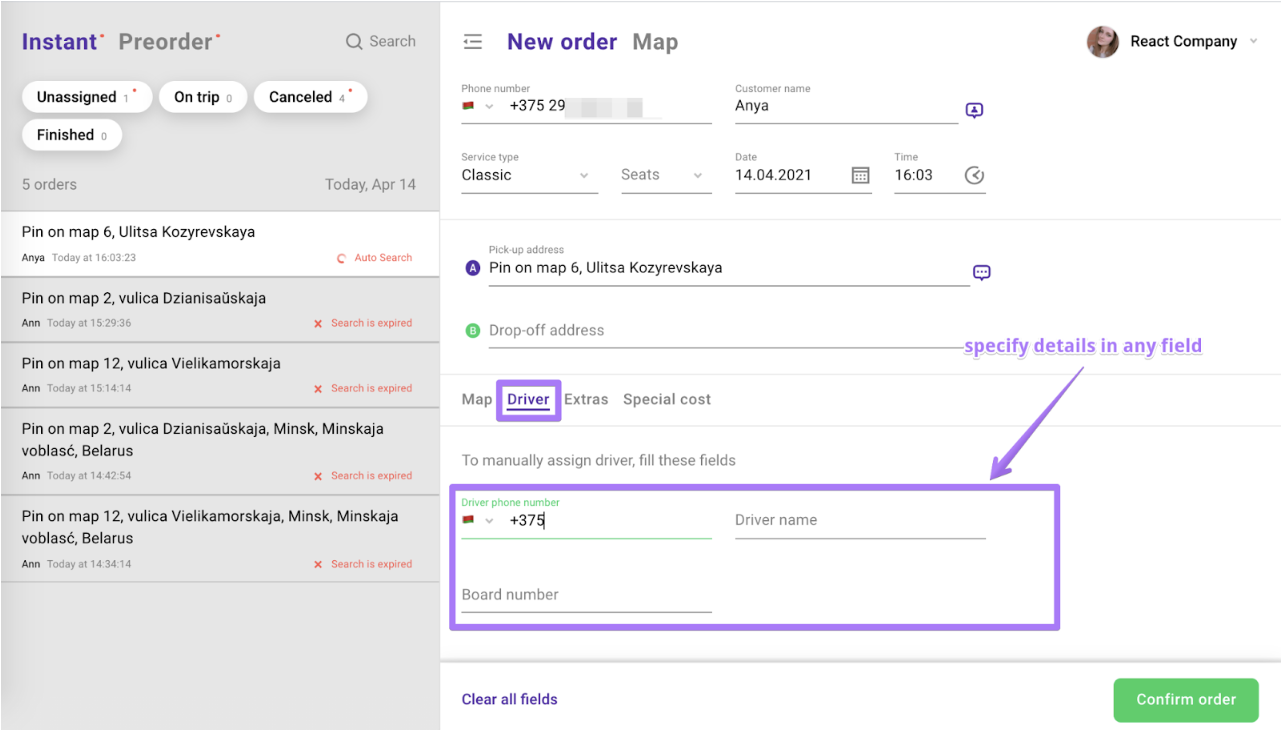
If a driver is not assigned manually, the system will automatically search for the nearest available driver using the intelligent queue algorithm.However, it is also possible to assign a driver manually if needed.Steps to Assign a Driver Manually:
When creating a new order in the Operator app, go to the “Driver” section.
Enter the driver’s phone number, name, or board number.
If the driver is online and available, the order will be assigned directly to them.