
Before you begin using the Driver app, make sure you have the following:
✅ The Driver app installed on your smartphone
✅ A device running Android 8+ or iOS 15+
✅ Mobile internet (3G/4G) and GPS enabled
✅ A car charger (your battery may last only 5–6 hours while online)
✅ A confirmed driver account in the system
Once your account is registered and approved by the company, you’ll be ready to receive ride requests.
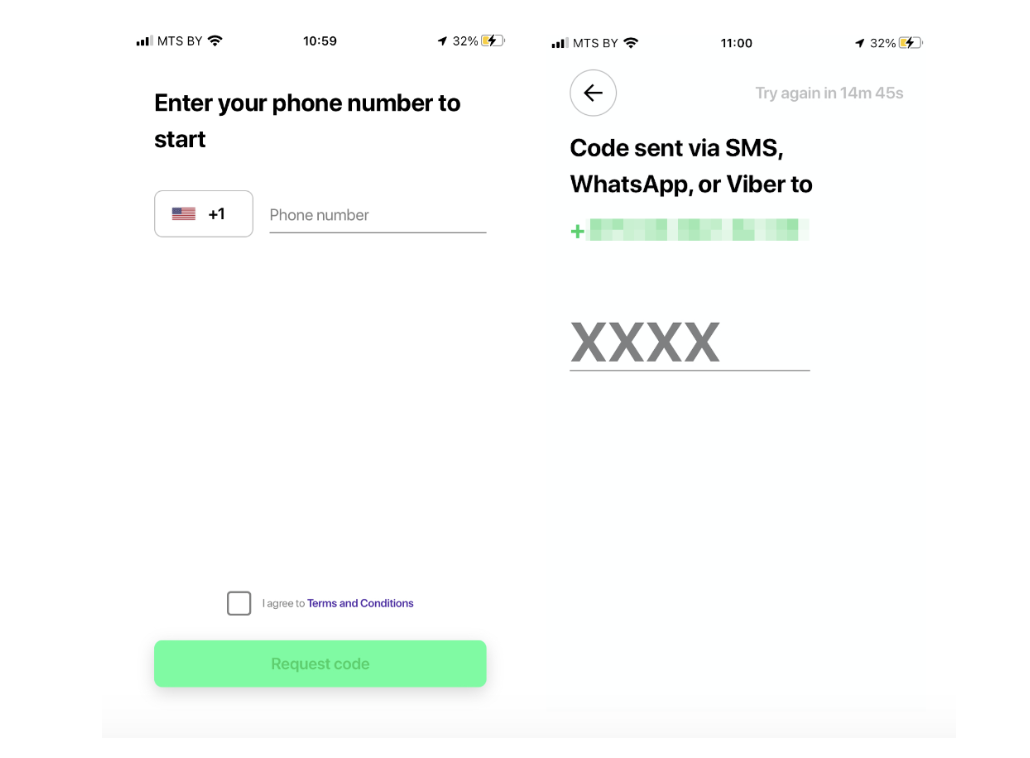
Logging in
Enter your phone number.
Input the confirmation code sent via SMS.
Going online & receiving orders
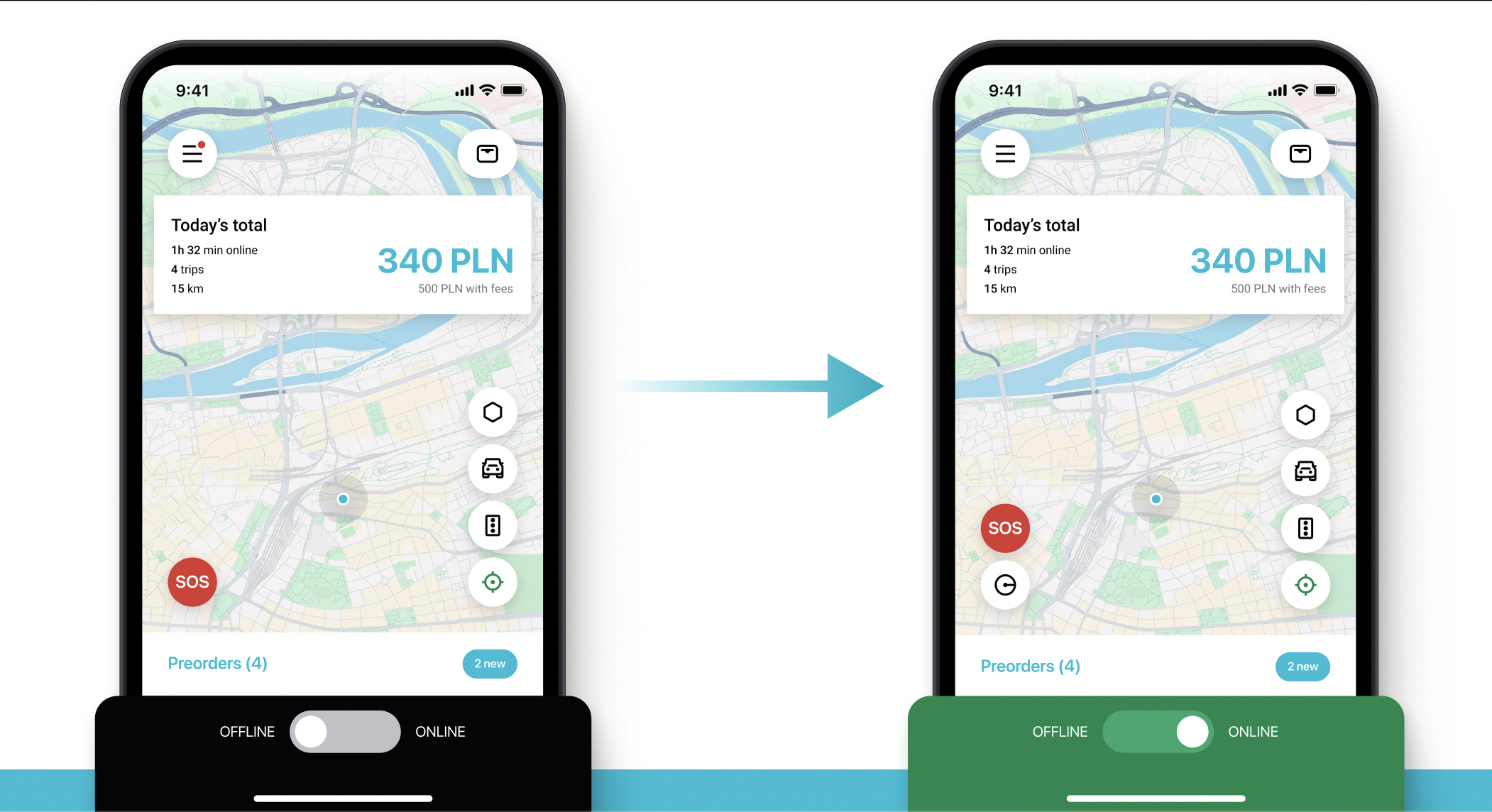
Swipe Online at the bottom of the screen to start accepting jobs.
Switch to Offline mode when you’re unavailable—even for a few minutes.
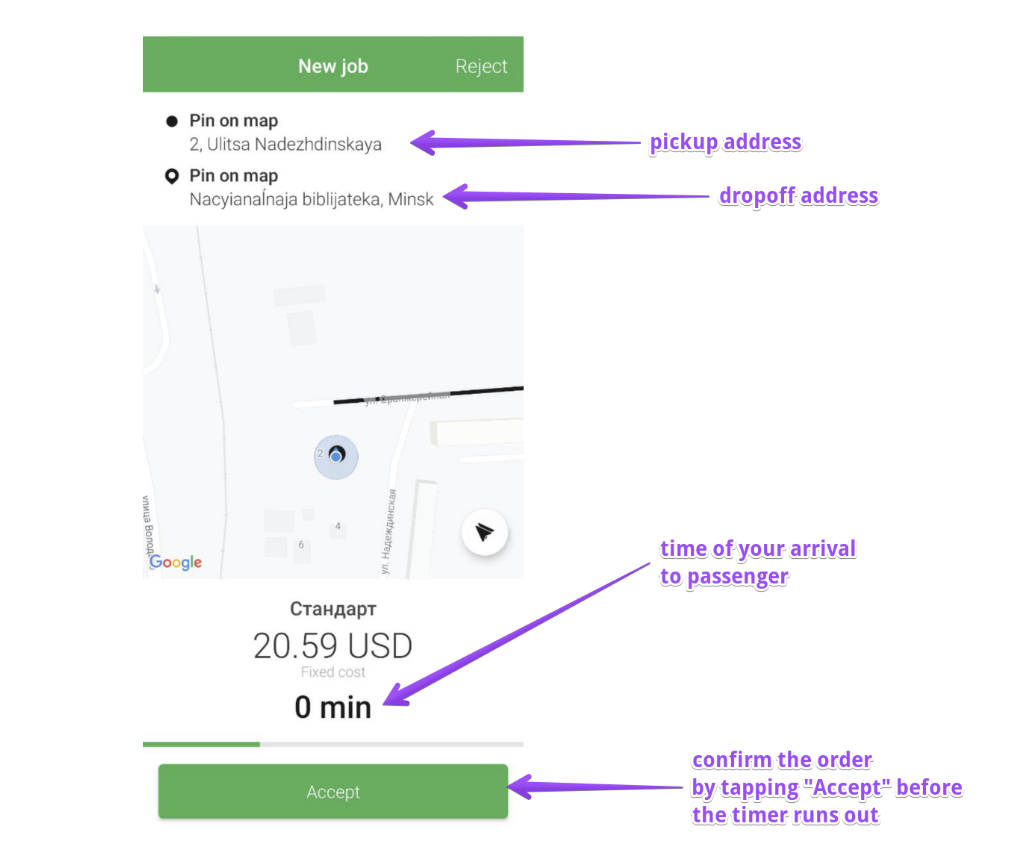
When a new order comes in:
You’ll see the pickup location.
Tap Accept to take the job.
Once you arrive, swipe Arrived—this notifies the customer.
That’s it! You're ready to drive.