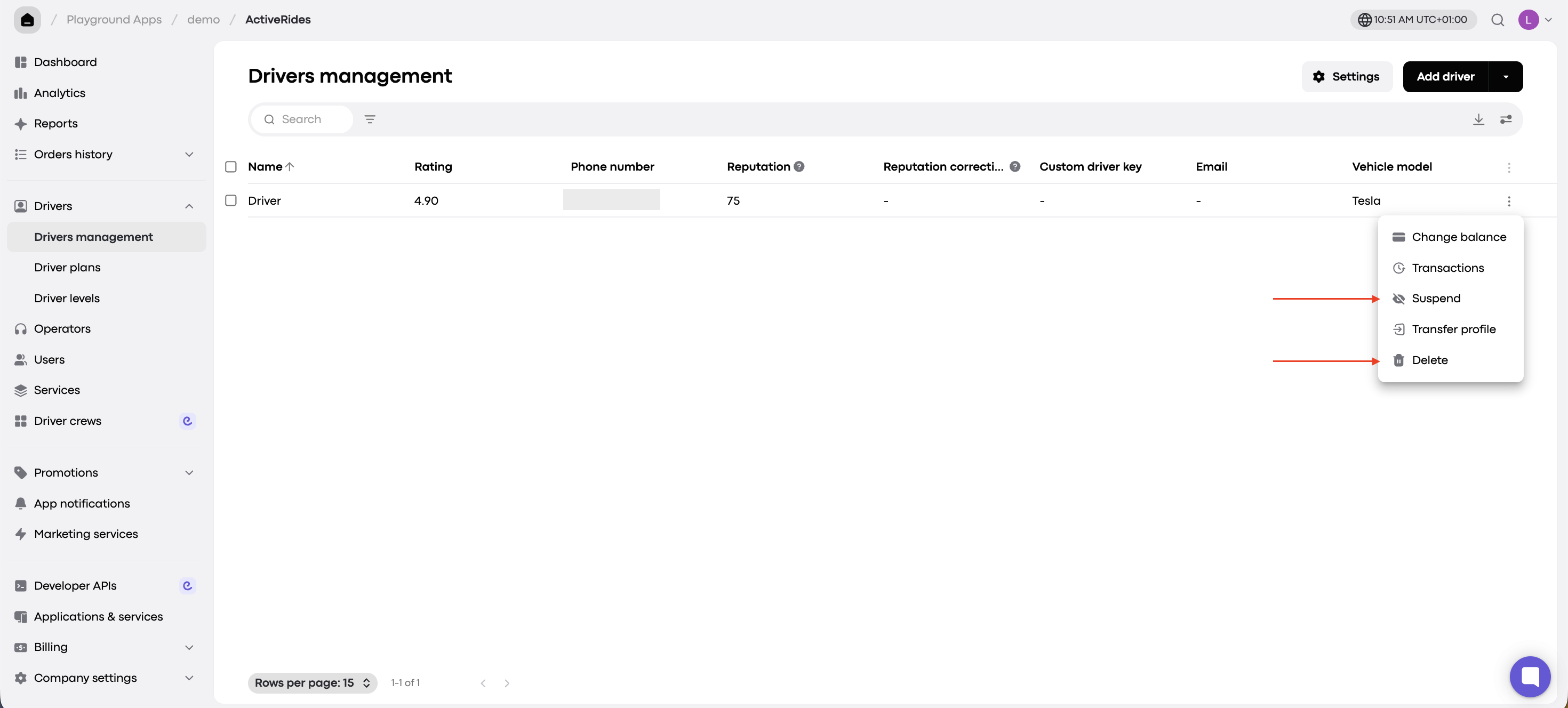
If a driver is temporarily unavailable or no longer works with your company, you can suspend or delete their profile from My hub.
Suspend or Delete: What’s the Difference?
Suspend: temporarily blocks the driver from receiving orders. You can reactivate them later.
Delete: removes the driver from your company.
⚠ Important: Deletion is permanent. Once deleted, the driver’s profile and balance history can’t be restored. You can delete a driver in any status, even if they have a balance.
How to Suspend or Delete a Driver
In My hub, go to Drivers > Drivers management.
Find the driver in the list.
Click the three-dot menu on the right side of the driver’s row.
Click Suspend or Delete.