
The Operator app lets you create, cancel, assign, and manage orders in real time. If you have a call center, this is the best way to register orders in the system.
This is how you can add a new operator to your system:
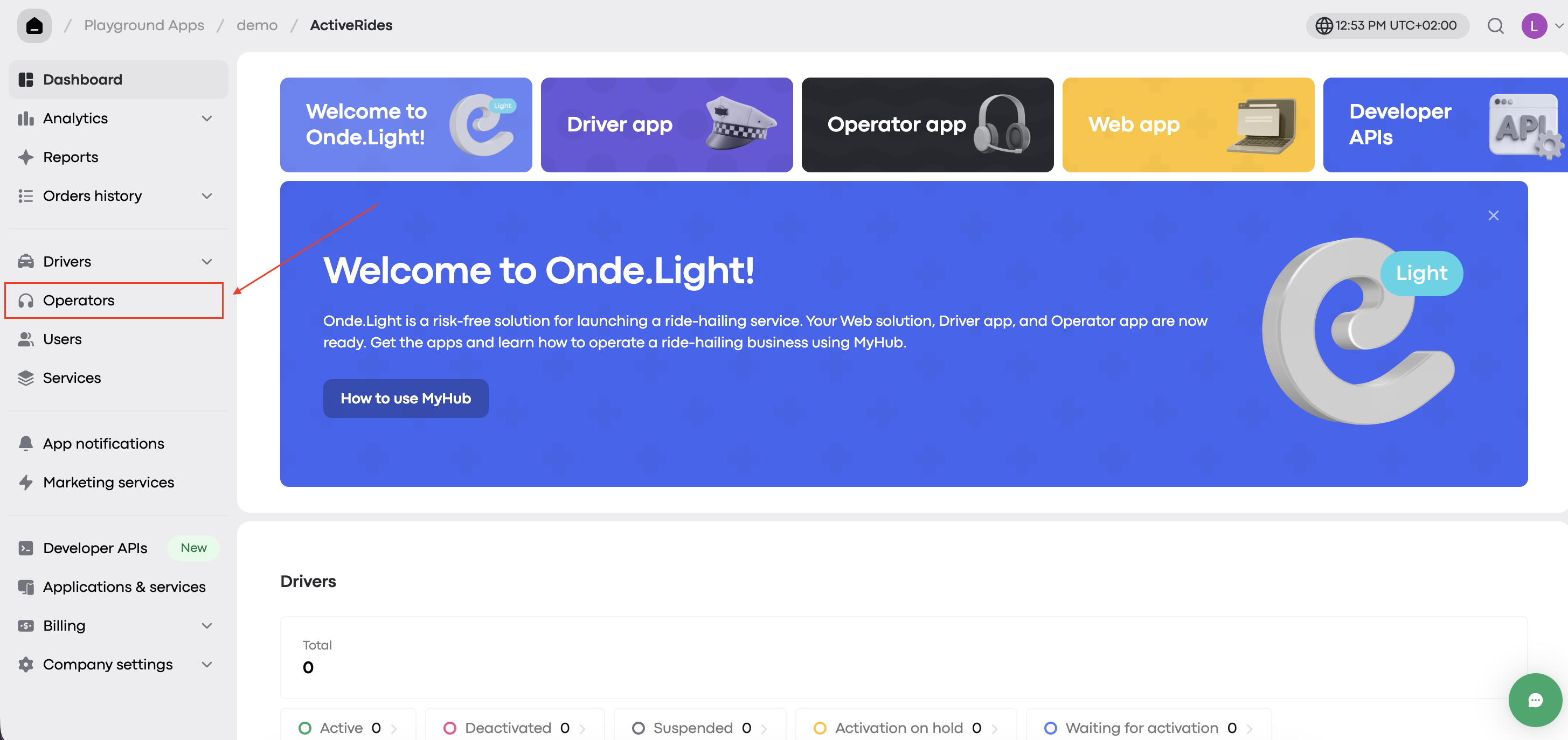
Step 1. Go to the Operators tab
Go to your My hub account and open the Operators tab from the left-hand menu.
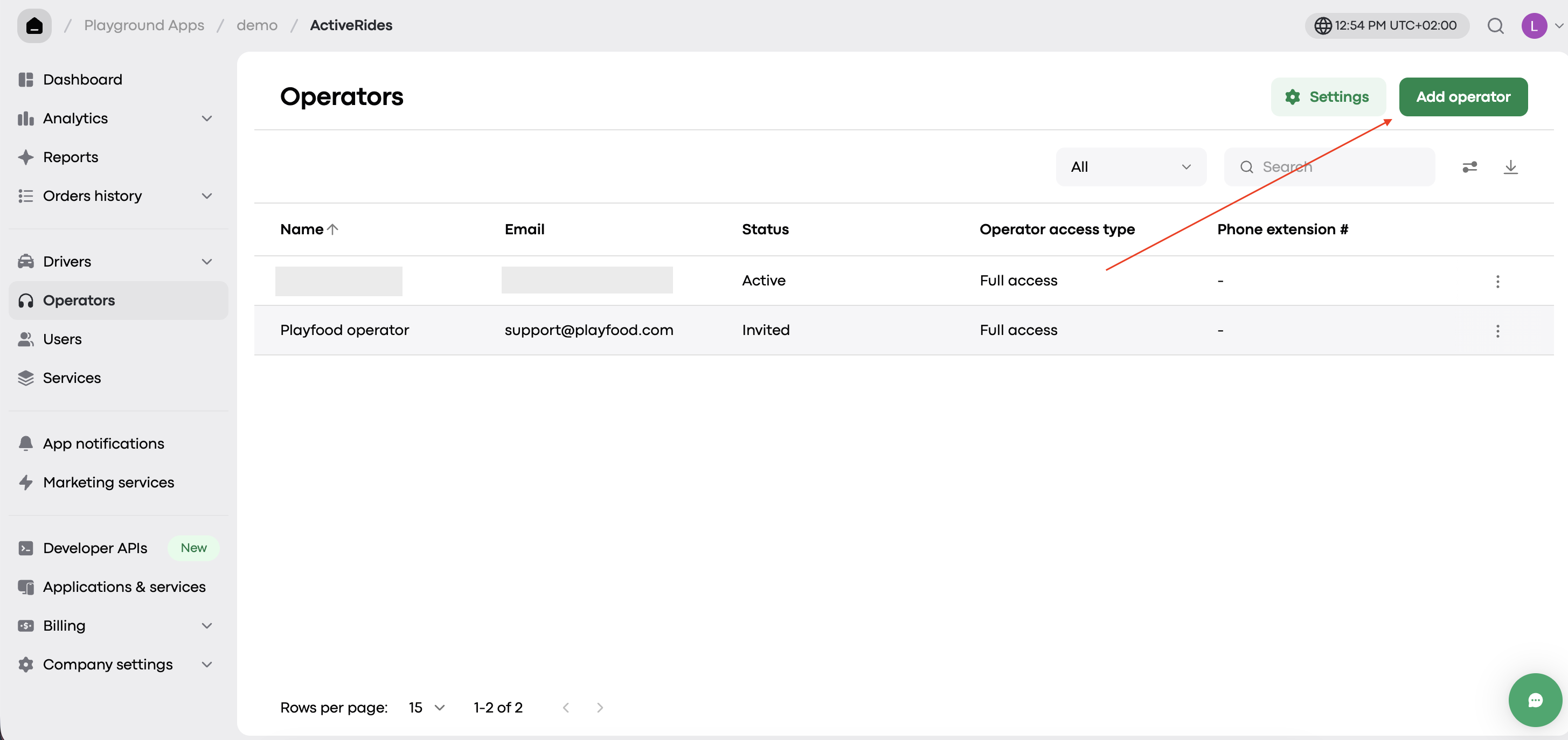
You’ll see a list of all existing operators. Click “Add operator” to create a new one.
Step 2. Fill in the details
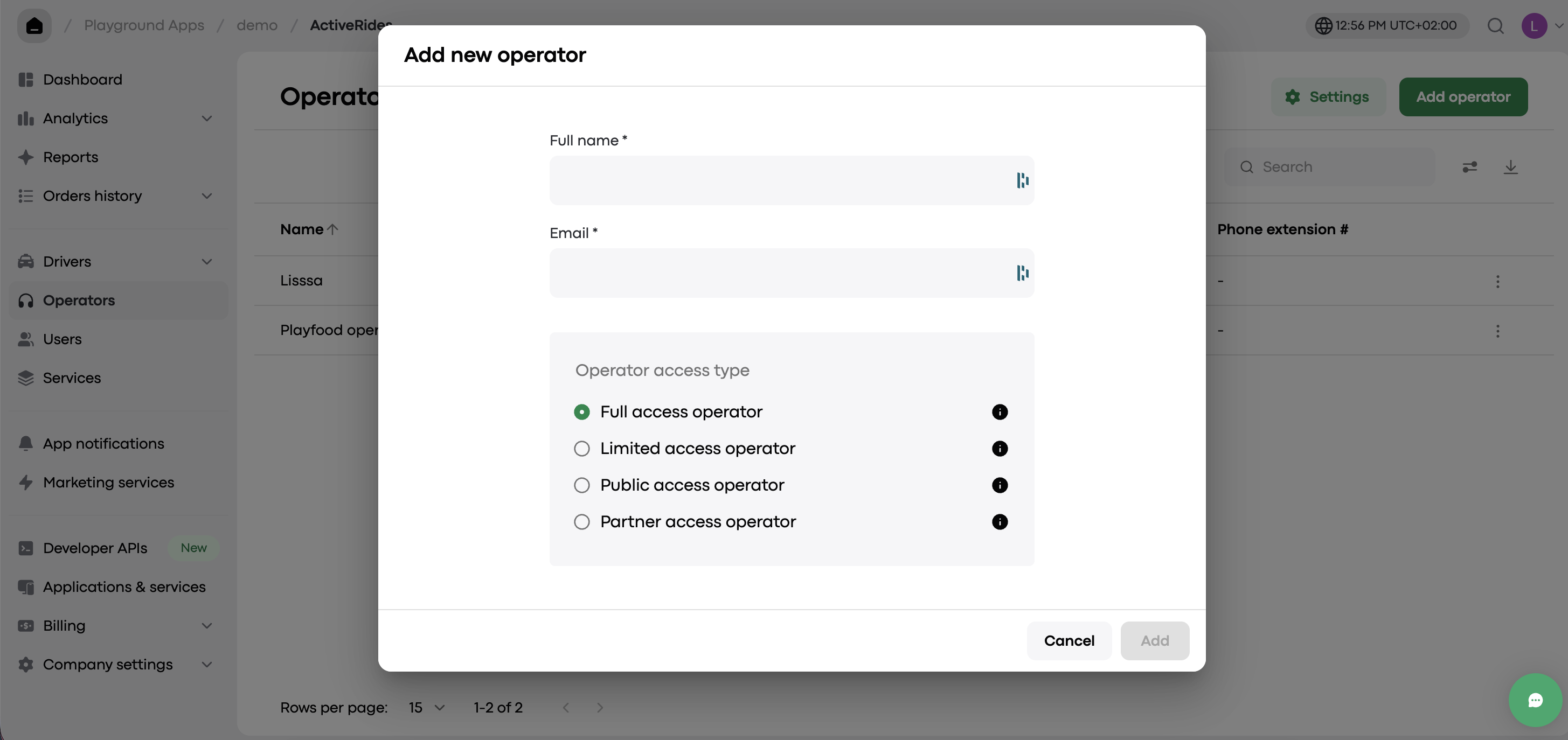
Enter the new operator’s name and email.
👉Note: Try to use a Gmail address for best compatibility.
Click “Add” when you're done.
Step 3. Check the email
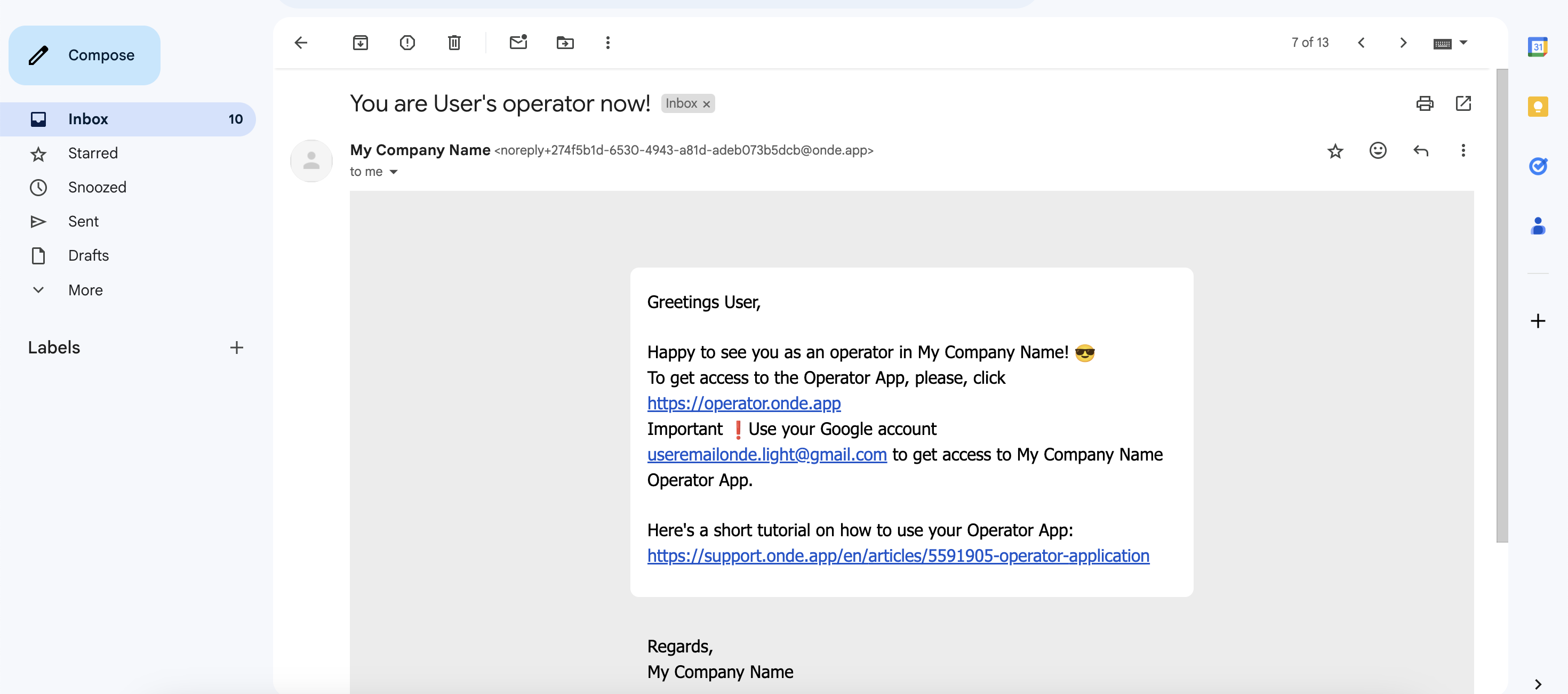
The operator will receive an invite to join your company to the provided email.
They just need to click the link to access their profile.
You're all set
That’s it! The new operator can now log in and start using the Operator app.