
Your operational area is the zone where your company provides rides. Here’s how to check it.
Go to My hub.
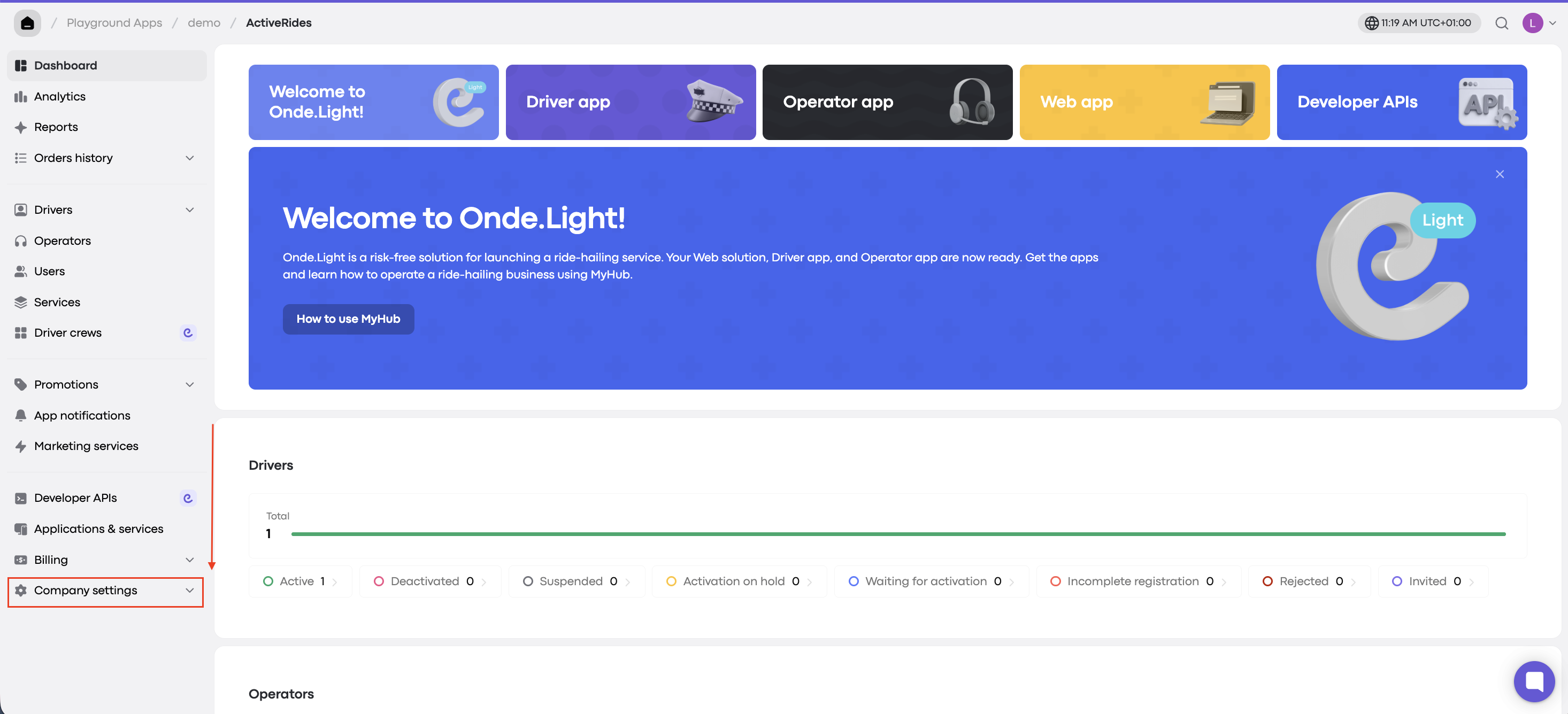
In the left-hand menu, scroll down and click Company settings.
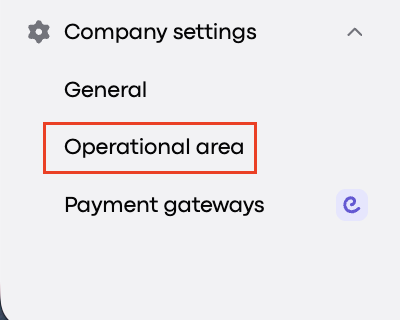
Select Operational area.
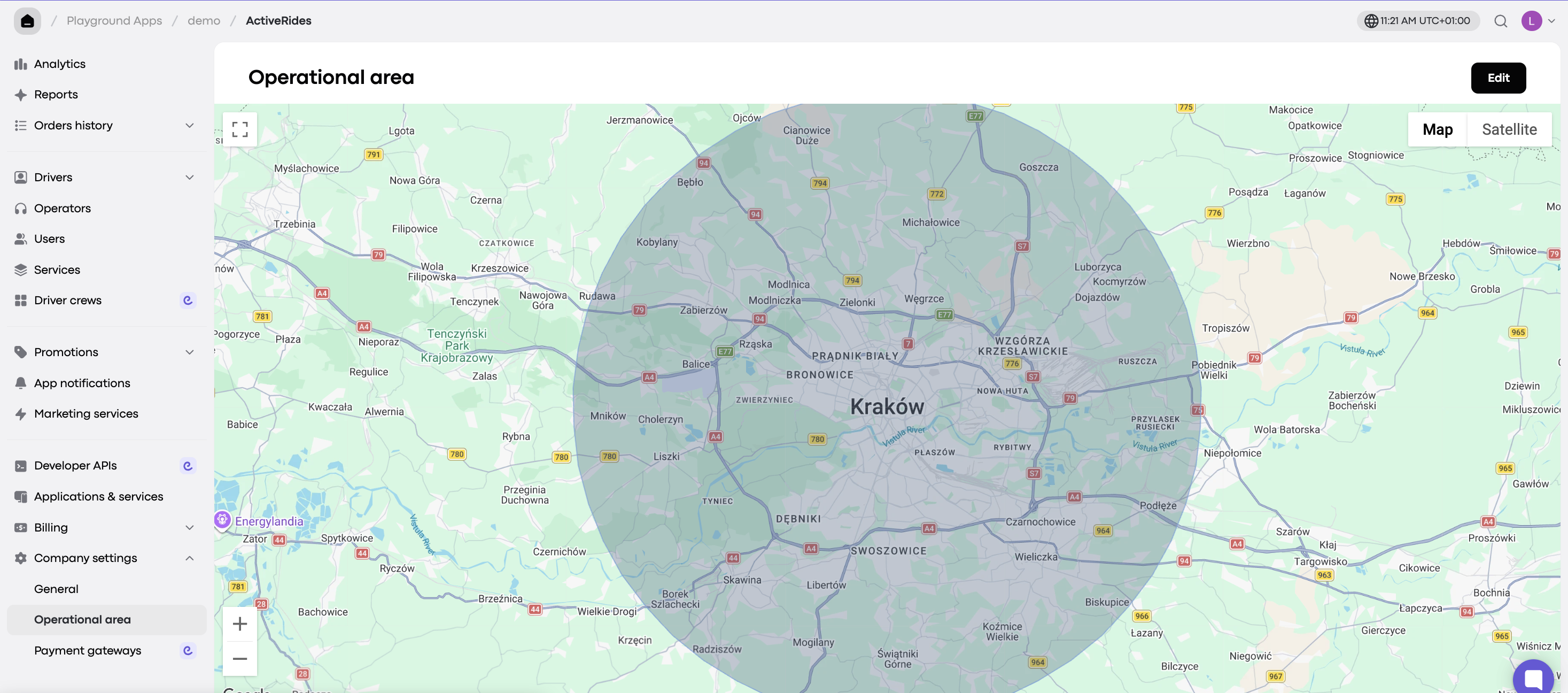
You’ll now see your company’s operational area.
Your operational area is the zone where your company provides rides. Here’s how to check it.
Go to My hub.
In the left-hand menu, scroll down and click Company settings.
Select Operational area.
You’ll now see your company’s operational area.