
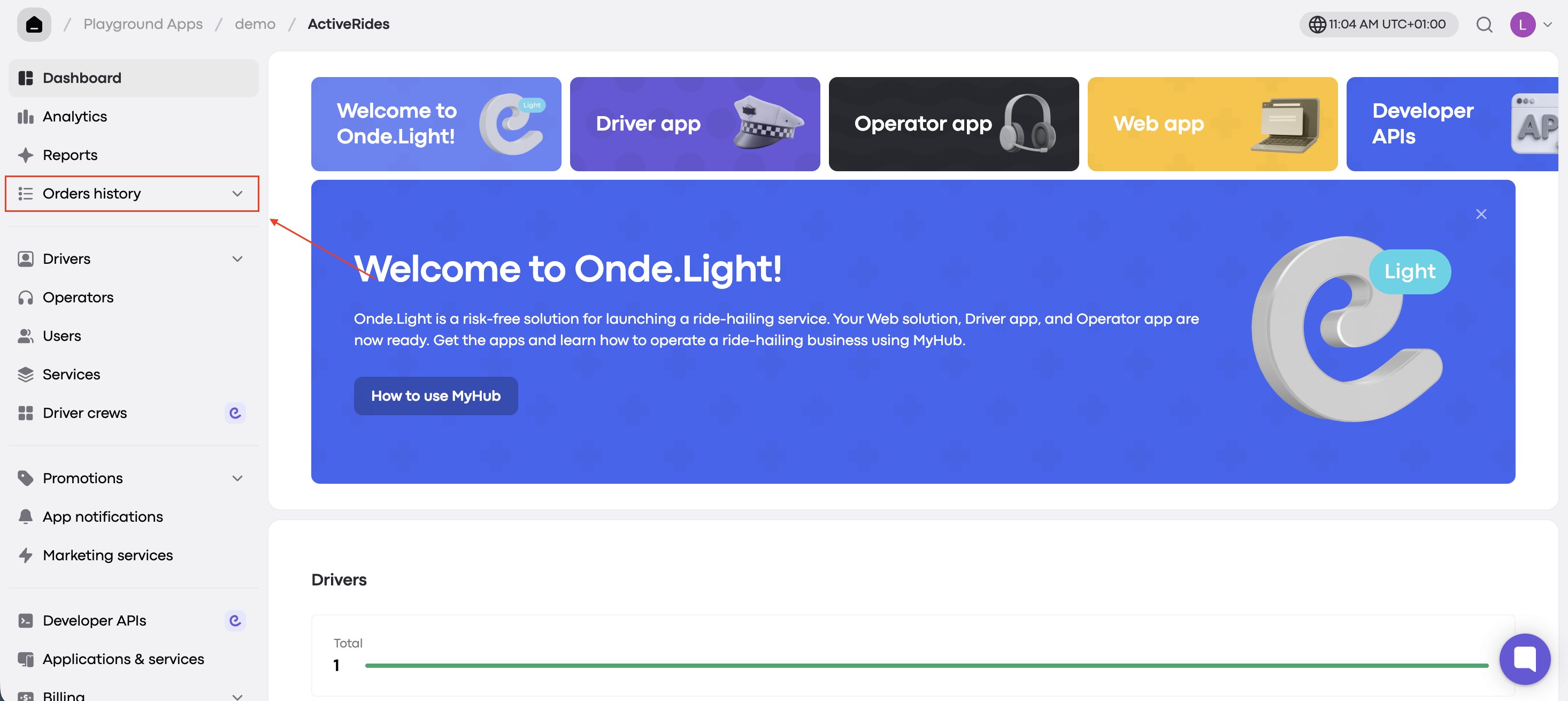
The Orders History section in My hub lets authorized company users view past customer and driver orders. It helps you quickly review orders and resolve support issues such as:
Incorrect trip costs
Cancellation fee disputes
Route deviations
Who Can Access Orders History?
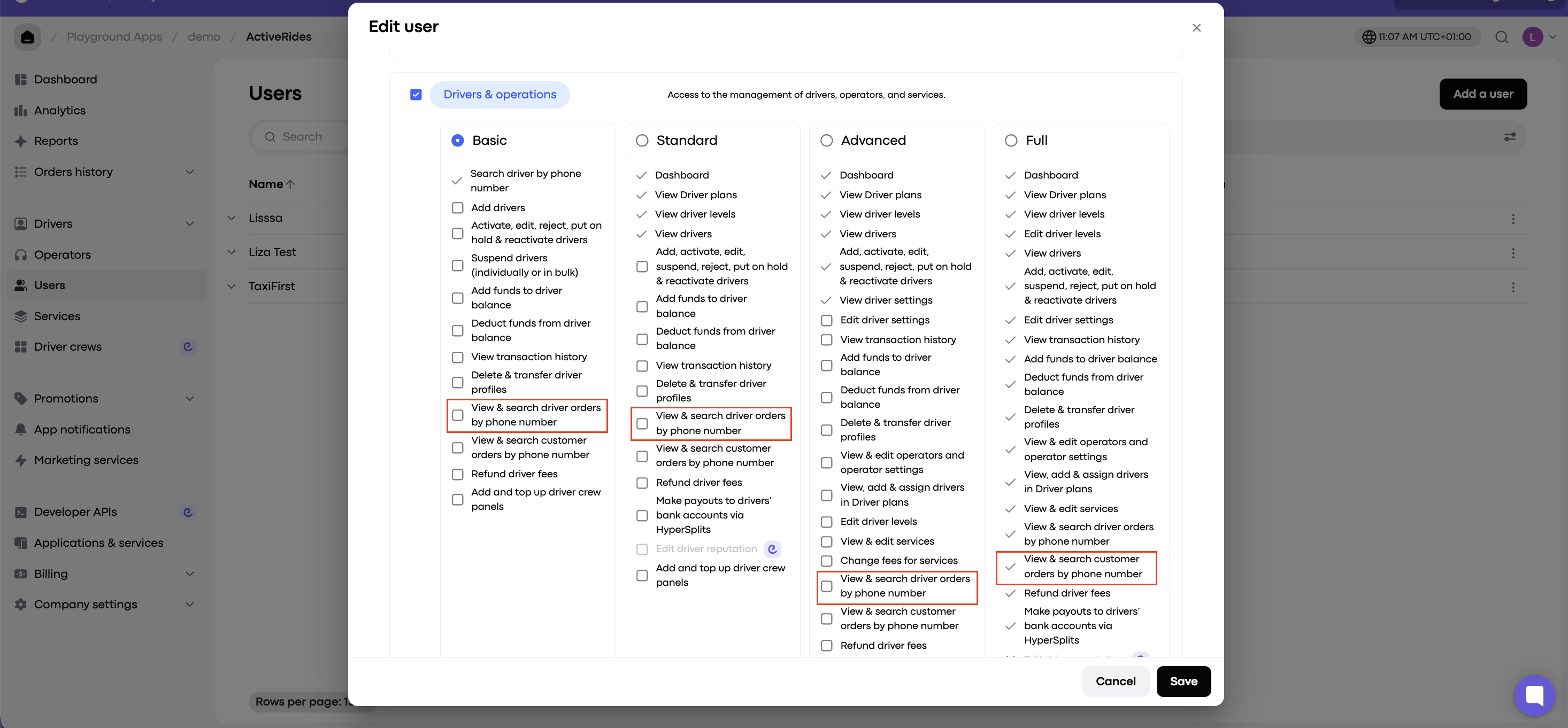
Full Access users have this option enabled by default.
Drivers and operators with Basic, Standard, or Advanced permissions can access it if “View & search driver orders by phone number” or “View & search customer orders by phone number” is enabled.
How to View Orders for Drivers or Customers
Step 1: Open Orders History
Go to My hub and open the Orders History tab. Choose the relevant category:
Customers
Drivers
The search works the same way for both, so the example below uses Customers.
Step 2: Search by phone number
Enter a valid customer or driver phone number in international format (with or without “+”). You can also apply filters:
Order status
Date (MM/DD/YYYY)
You’ll see a filtered list with these key details:
Creation date and time
Order type (Instant or Pre-order)
Order status (at the time of search)
Cost difference (final cost minus estimated cost)