Once your 14-day free demo ends, you'll need to switch from demo to production mode to keep full access to your platform. This means activating your Standard plan subscription ($12/month) and setting up monthly top-ups to your account.
Here's how to do it.
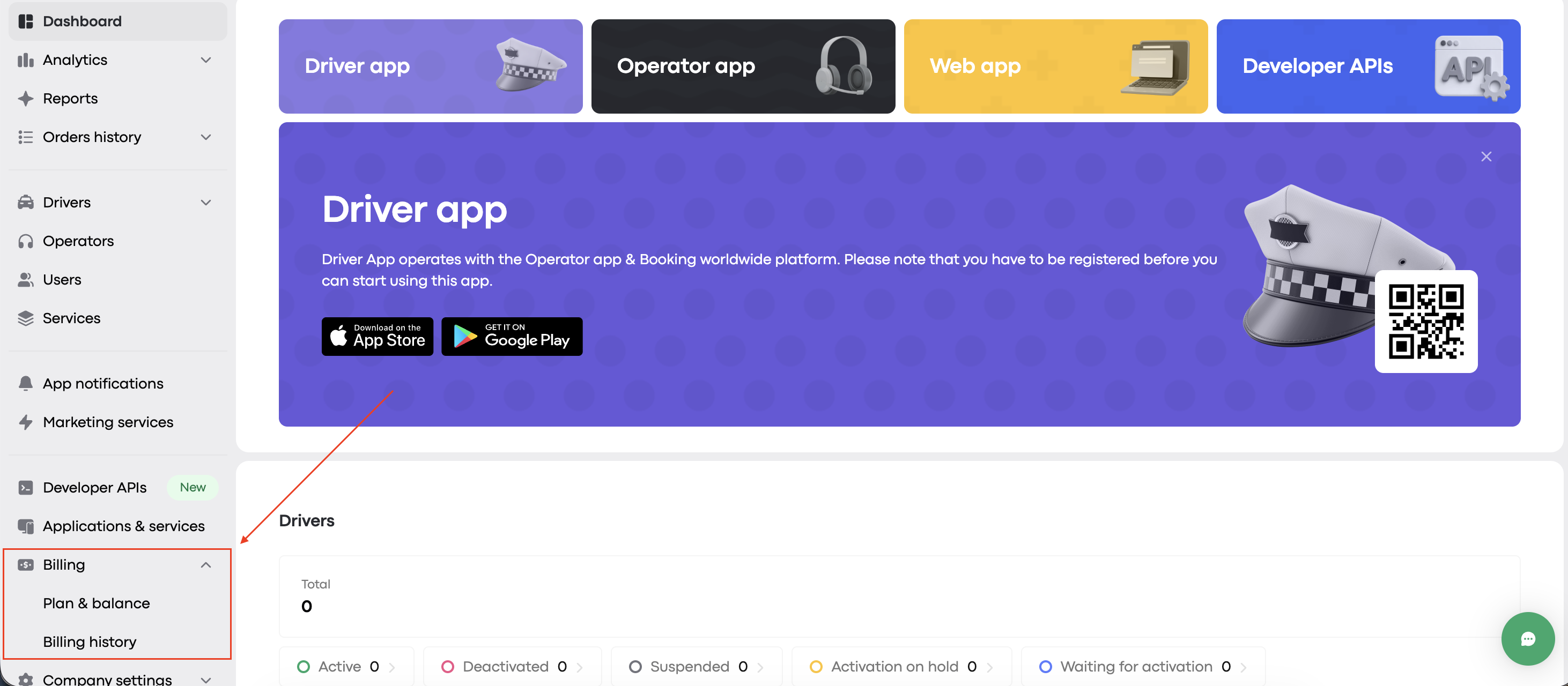
Navigate to Billing → Plan & balance in the left-hand menu
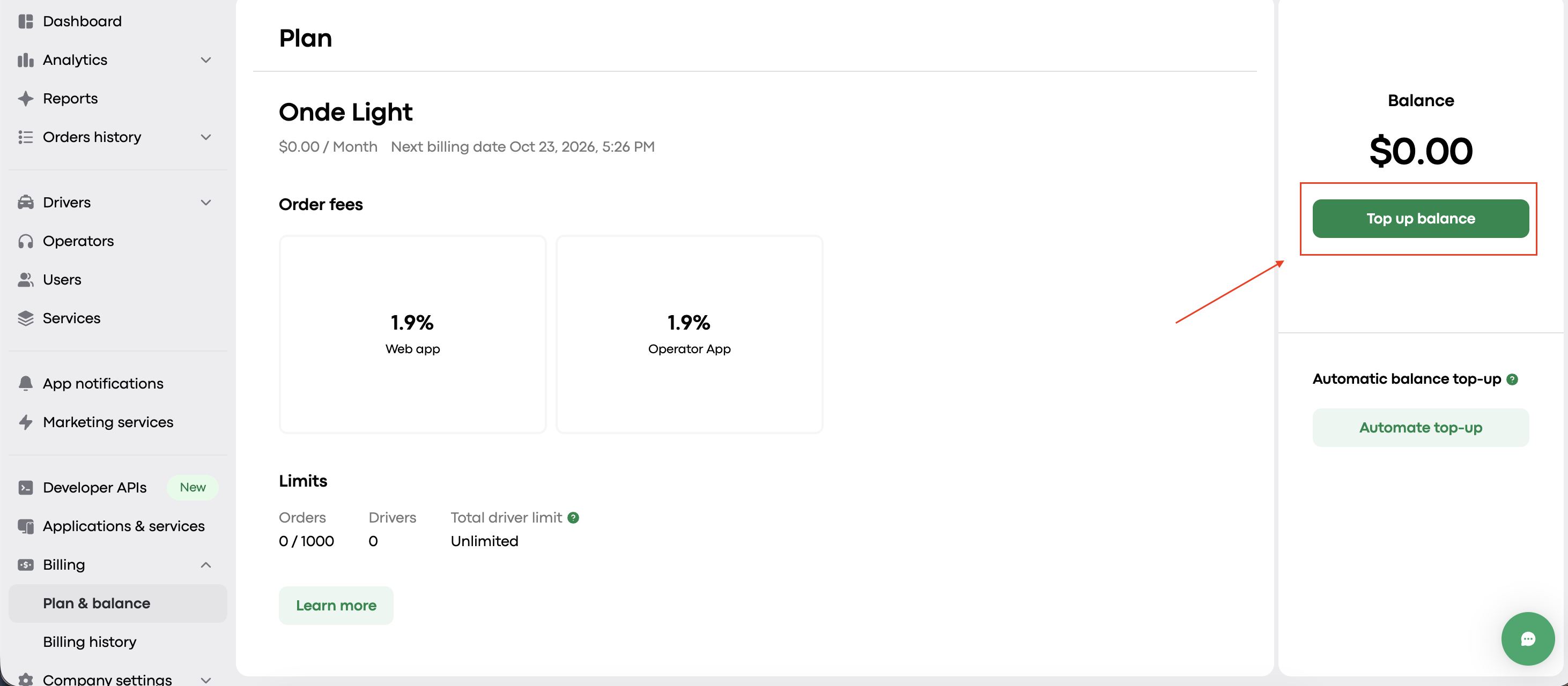
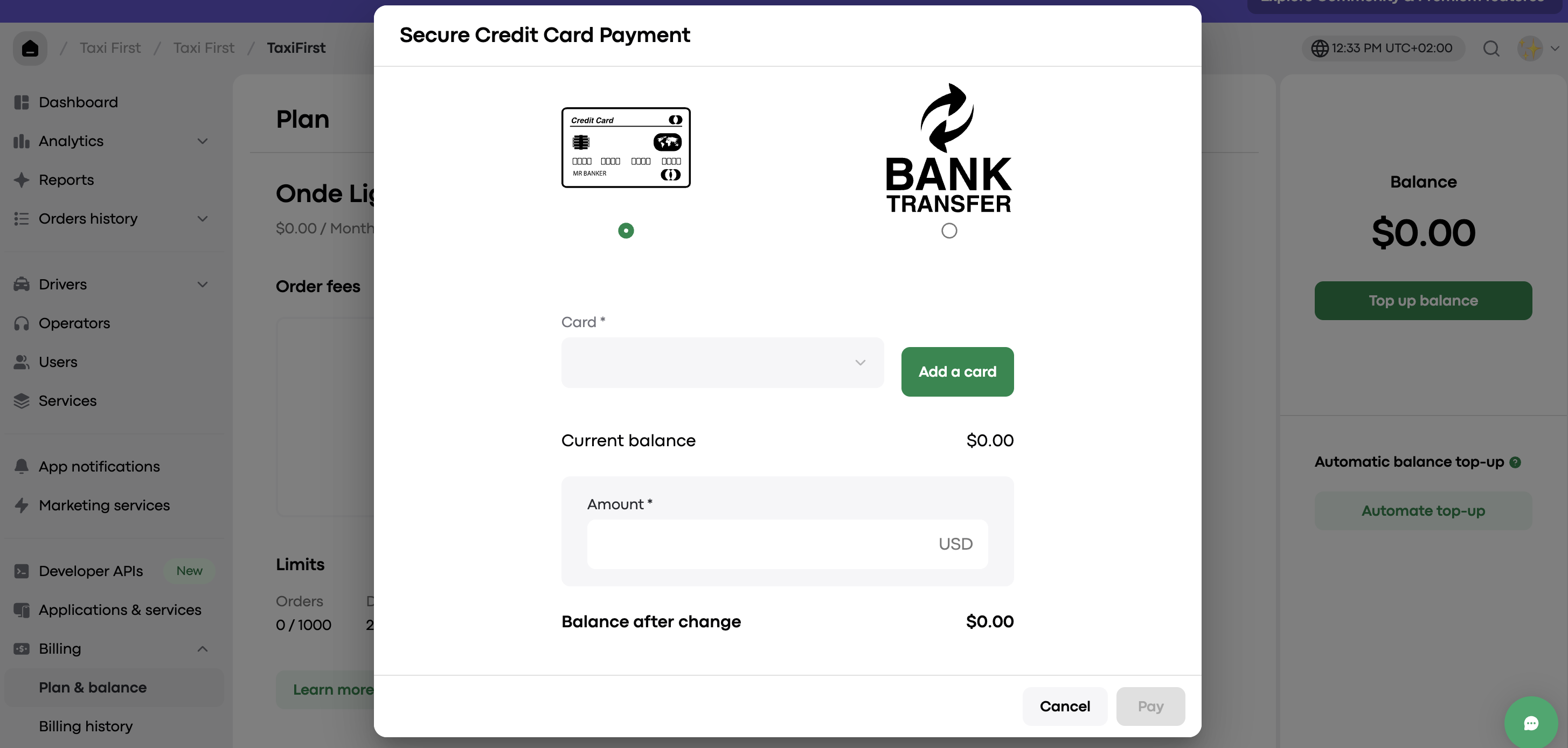
Click Top up balance to begin the process.
Since this is your first top-up, a pop-up will appear letting you know that you need to create a billing account before you can proceed.
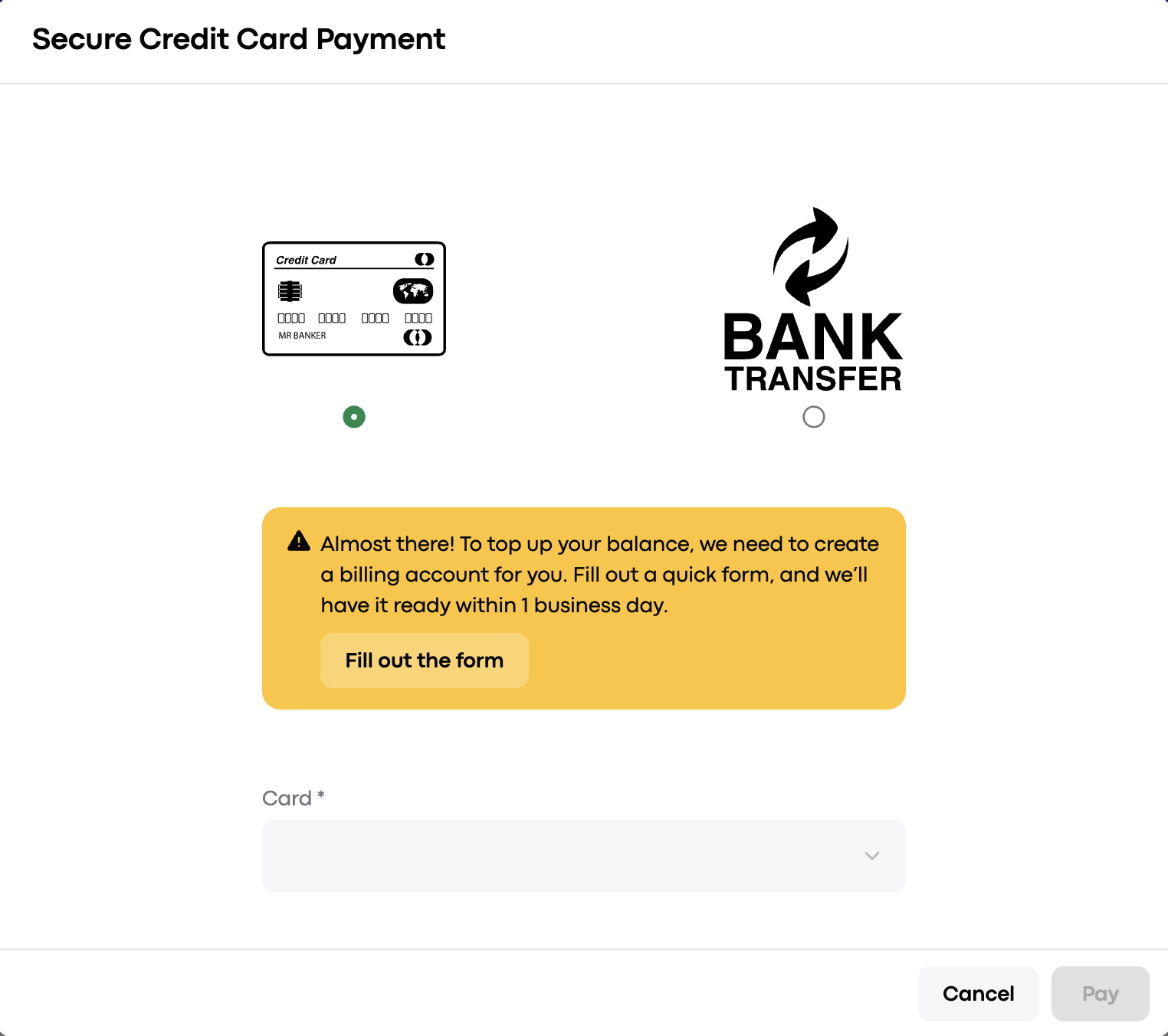
To set it up, just fill out this short form with your billing details. Within 1 business day, our finance team will create your billing account, and you'll be able to top up your balance on your own straight from My hub.
Once you've submitted the form, our team will create your billing account and notify you once it's ready. This step is handled on our end, so no further action is needed from you in the meantime.
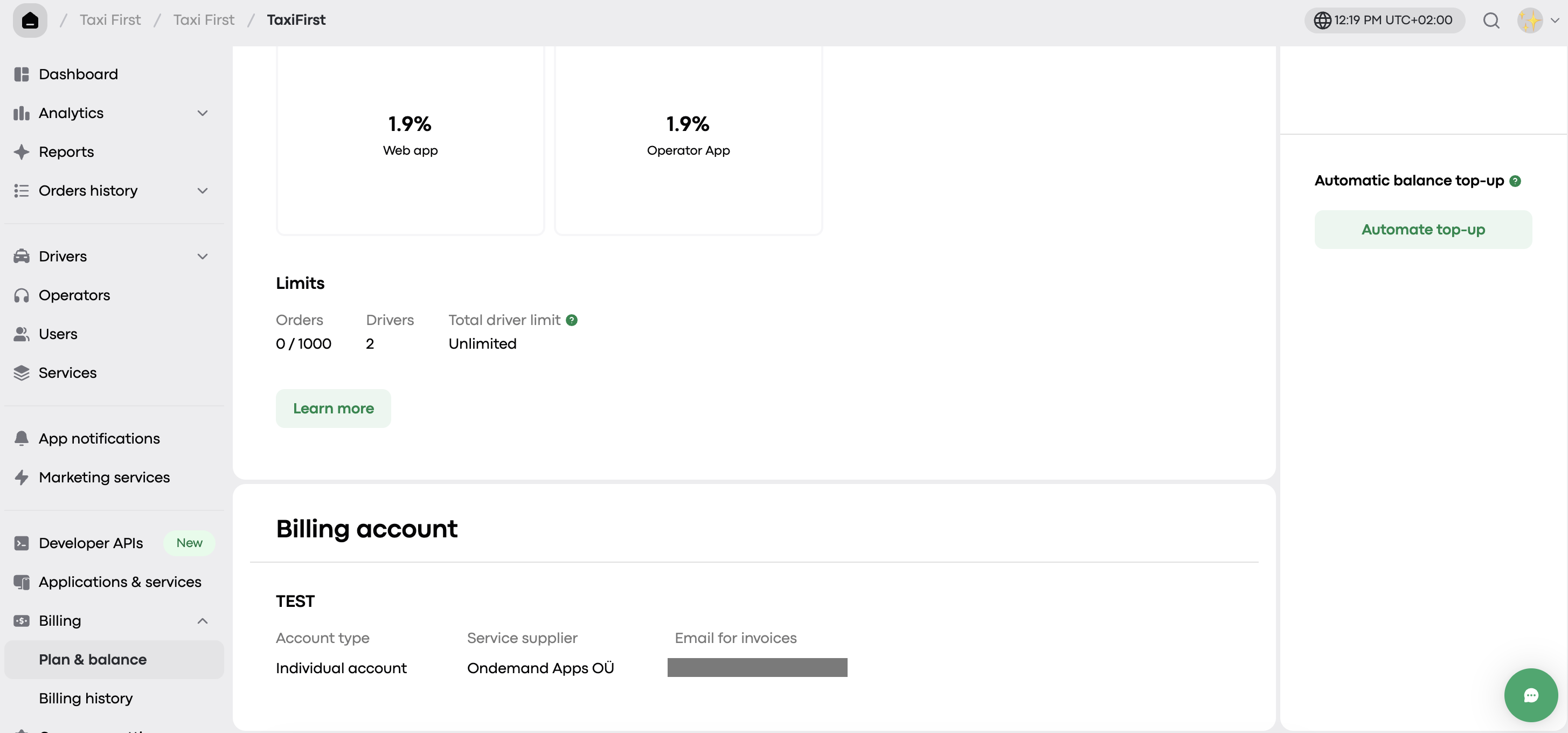
Here is how look created billing account in your admin panel:
Top up your balance with at least $12 — this is your minimum monthly amount to keep your subscription active. You'll need to repeat this top-up each month to maintain full access to the platform.
You can top up your account using one of the following methods:
Credit/debit card: The funds will be added immediately.
Bank transfer: The transaction will be verified within up to 3 business days.
Have questions about billing or your account status? Reach out to us at [email protected] or through the Onde.Light Community.
