A trip summary is an email with the main details of a completed ride.
After a ride is finished, the system can send this email to the company, customer, and driver.
The customer and driver will receive it only if an email address is added to their profile. The trip summary is sent to the email linked to the app account.
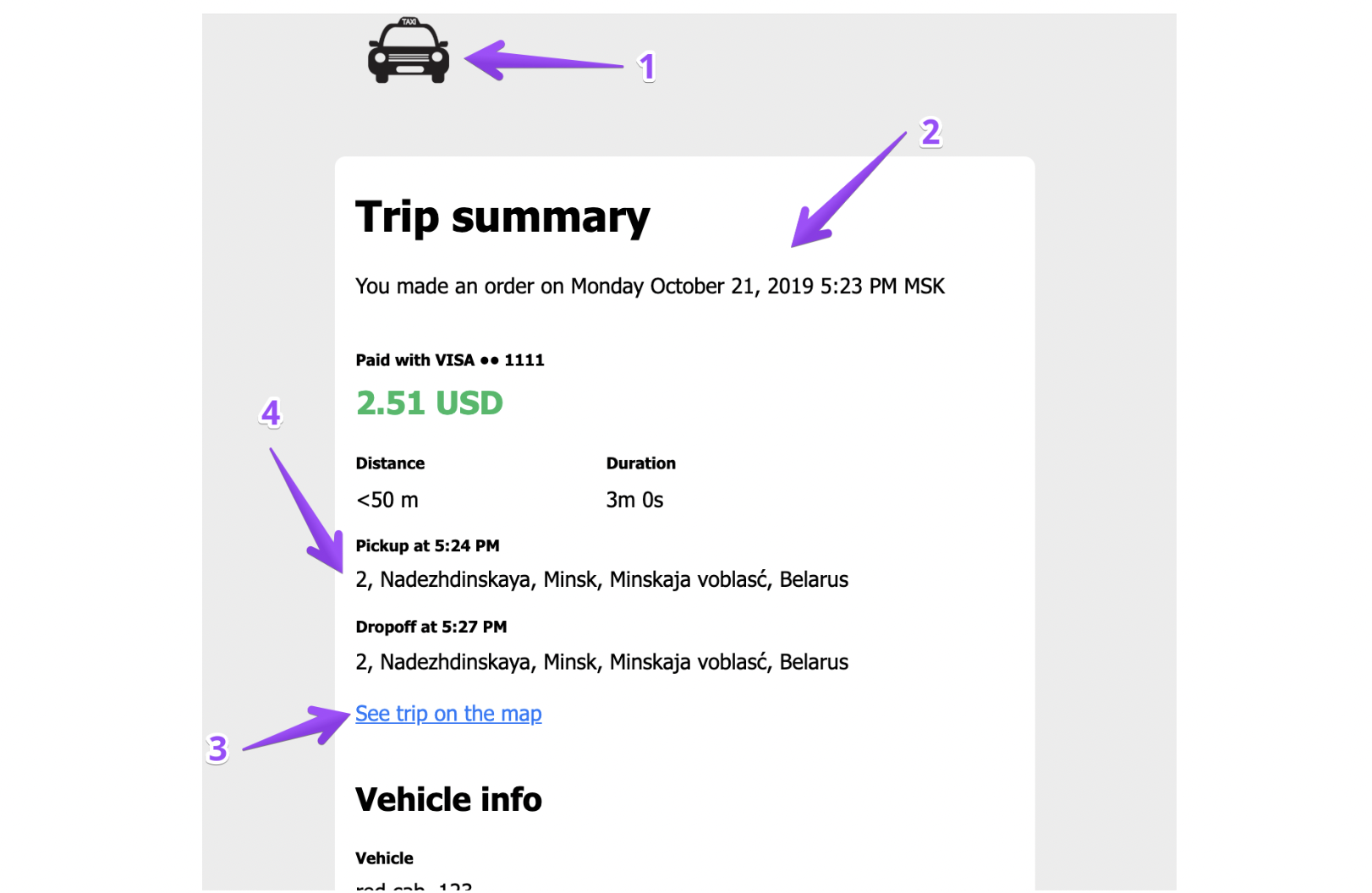
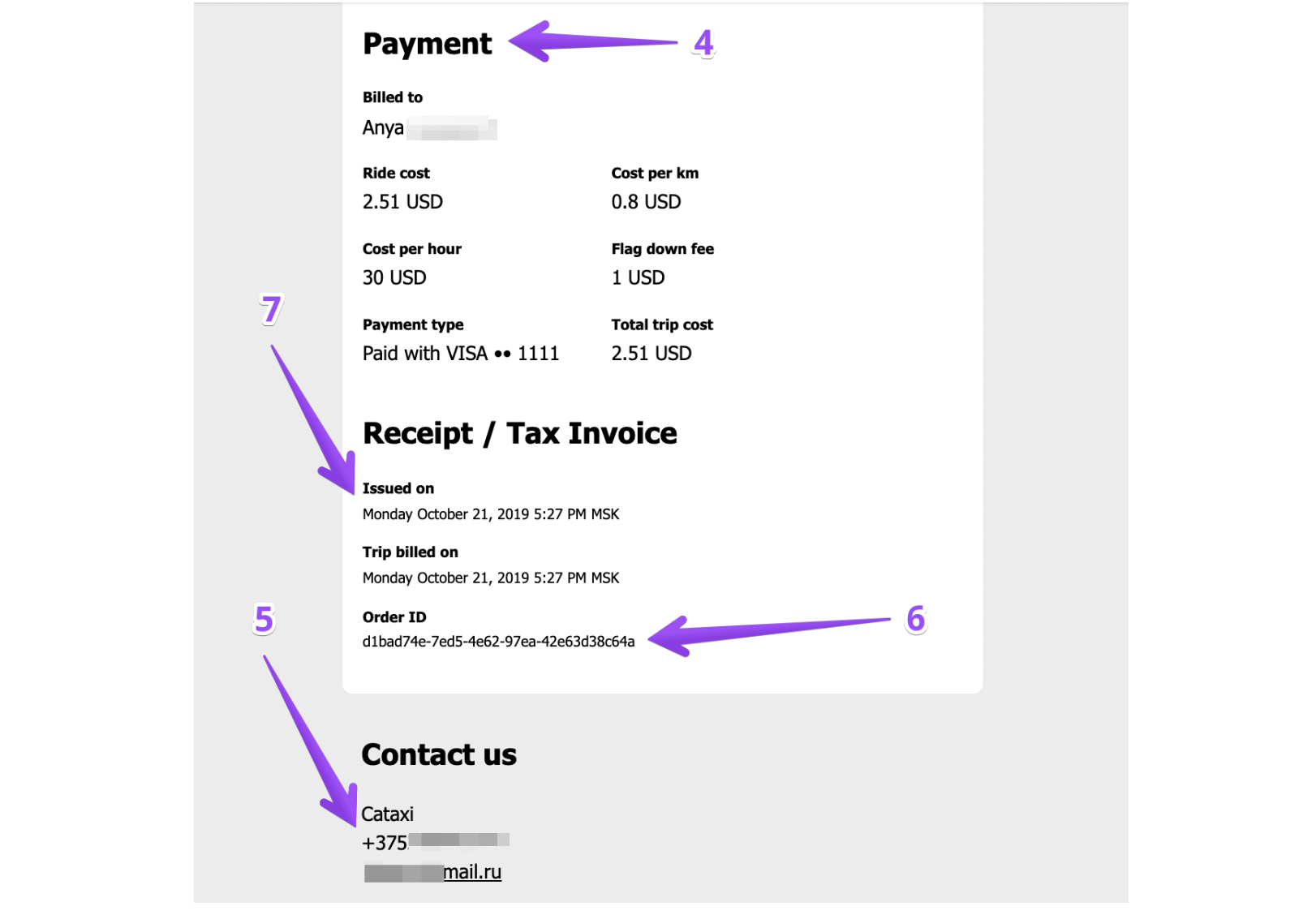
The trip summary may include the following elements. Each number in the list matches the same number in the image below:
Your company logo
Date when the order was created
Image of the route
Trip details such as pickup point, drop-off point, vehicle, and payment method
Your company information
Order ID
Billing date
❗Important: A trip summary is not sent if:
the ride was cancelled by the driver or customer
the ride was not completed
the order was created through the Operator app or Web app, in which case the customer does not receive the summary
If a cancellation fee is set up, the user may still be charged even if no trip summary is sent.
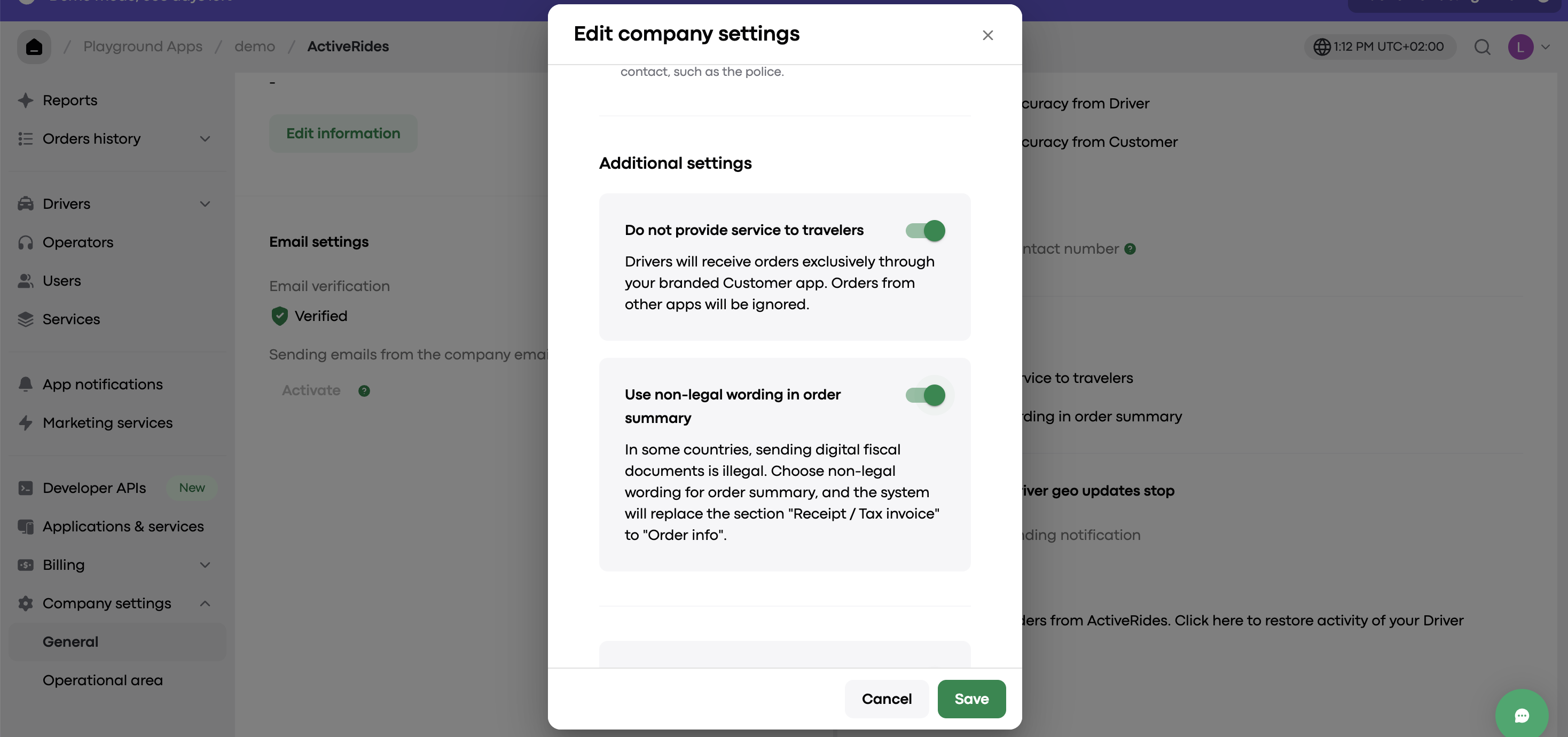
Please note that in some countries, trip receipts must not use legal wording. In this case, open Company Settings in My hub, go to the General section, and enable Use non-legal wording in order summary. Then the title will appear as Order info instead of Receipt / Tax invoice.