
You can change your company name in My hub.
Here’s how to do it:
Step 1. Open My hub
Head to my.onde.app/home.
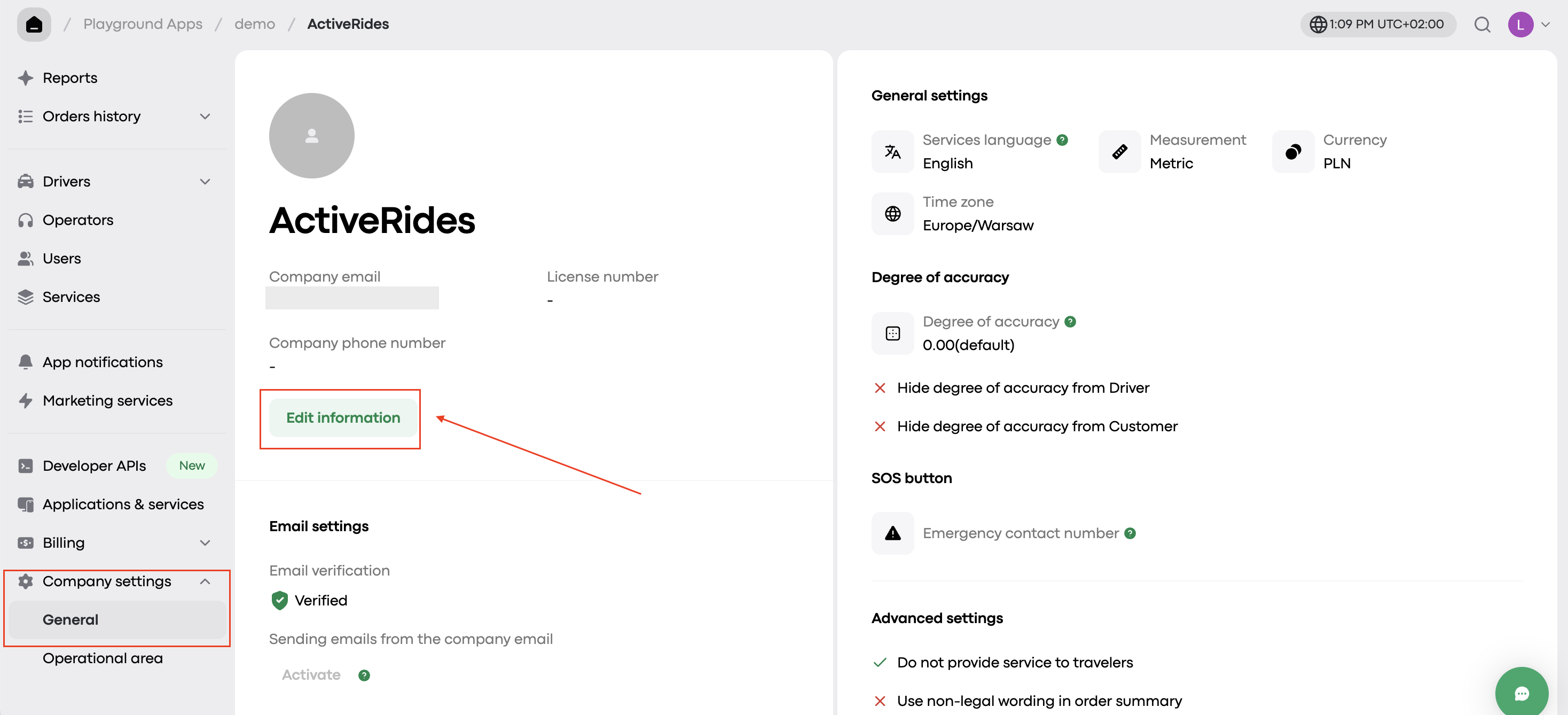
In the left-hand menu, scroll down to find Company settings, then click on it and open the General section.
Step 2: Enter new information
Click “Edit information“ and then enter the new brand or web app name and upload the new logo.
Note: these changes affect the Web app only!
If you want to change the logo shown in My hub, submit a request in the Onde.Light Community. In your request, include your company name exactly as it appears in My hub and attach the new logo file in high quality.
After that, the team will review your request and update the logo.