
You can temporarily suspend your company account if needed. Here’s what happens during suspension:
Driver Access: Drivers cannot log in to the app or accept jobs.
Ongoing Jobs: All active jobs will be canceled.
Operator Access: Operators cannot log in or manage operations
Here’s how to do it:
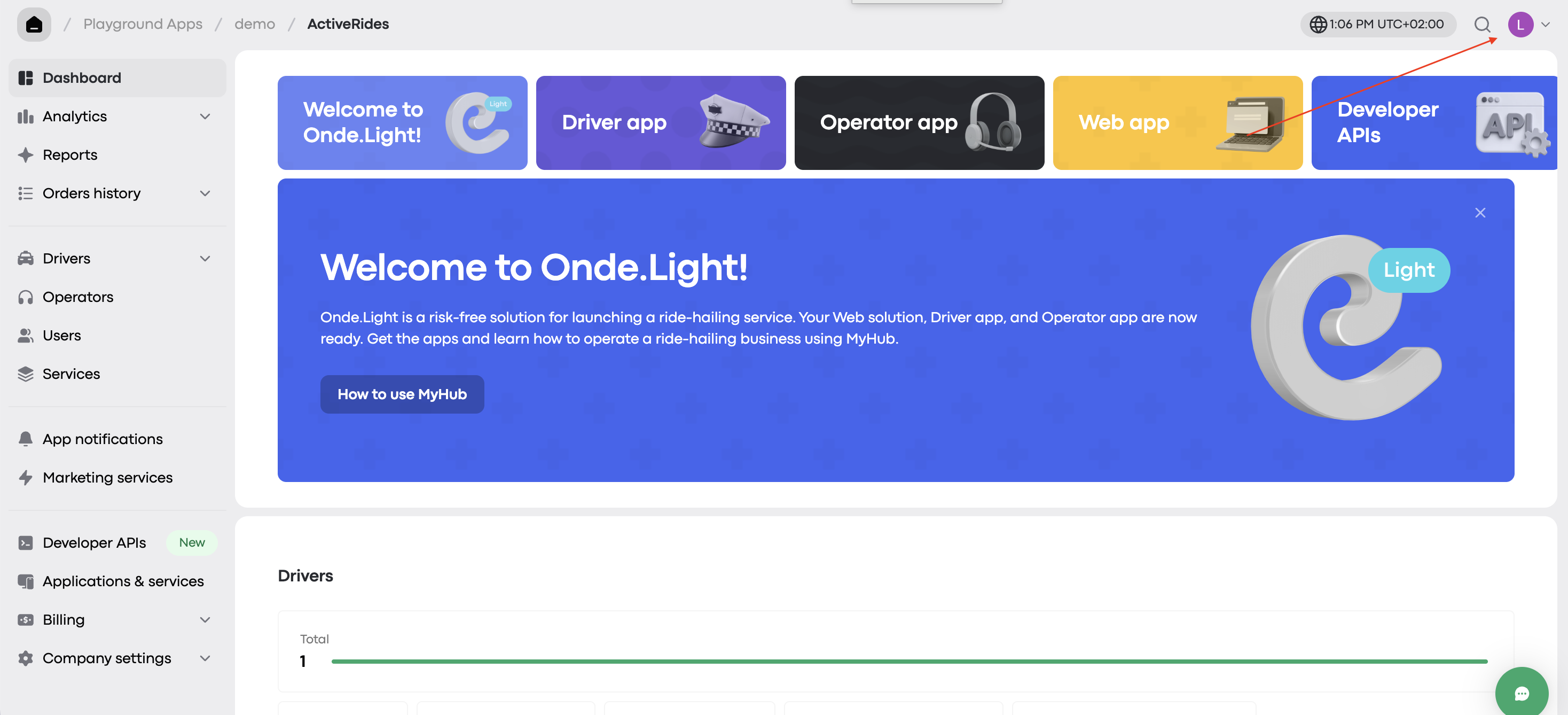
Step 1. Go to My hub
Head to https://my.onde.app/home and click your profile icon in the top-right corner.
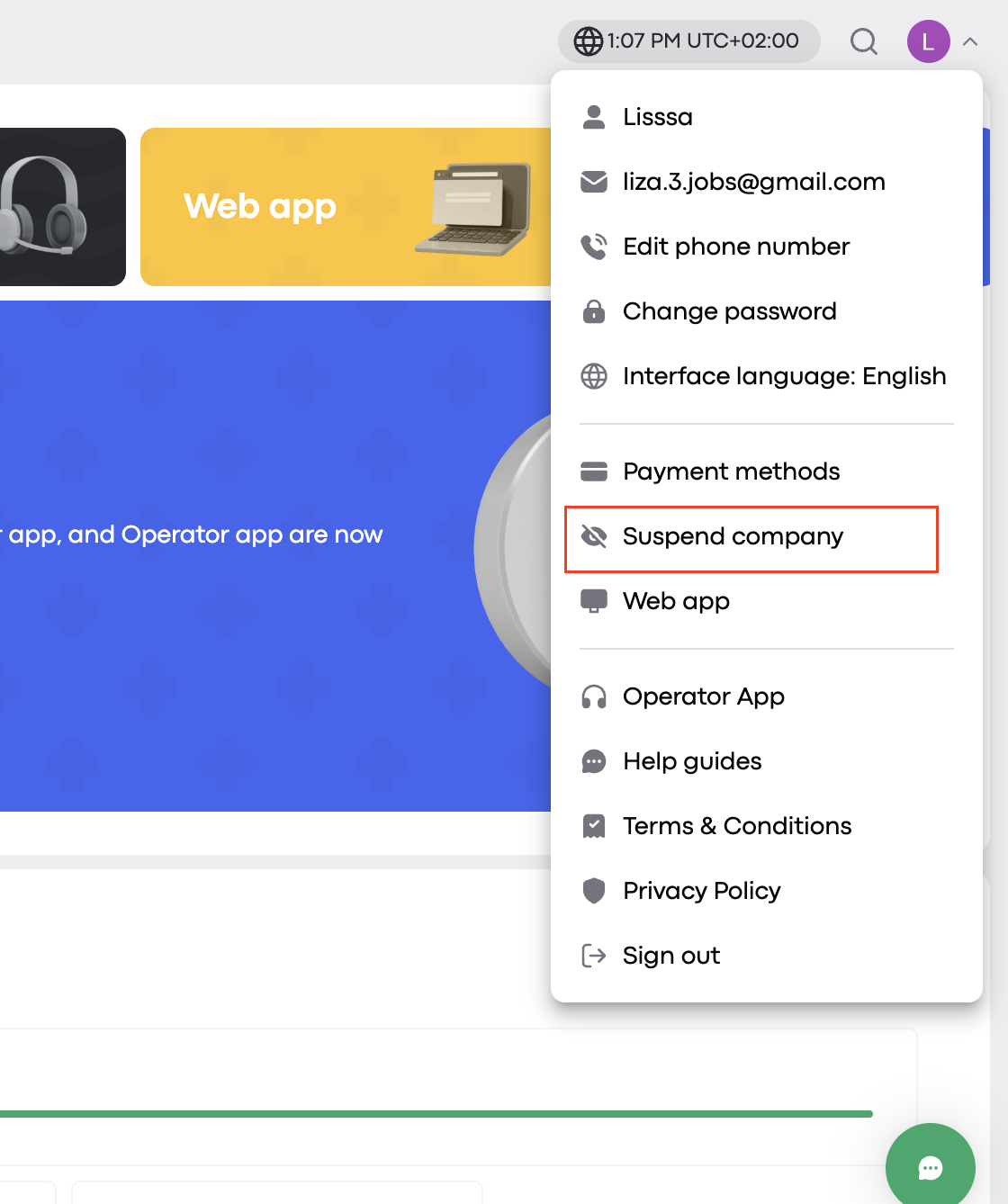
Step 2. Select "Suspend company" from the drop-down menu.
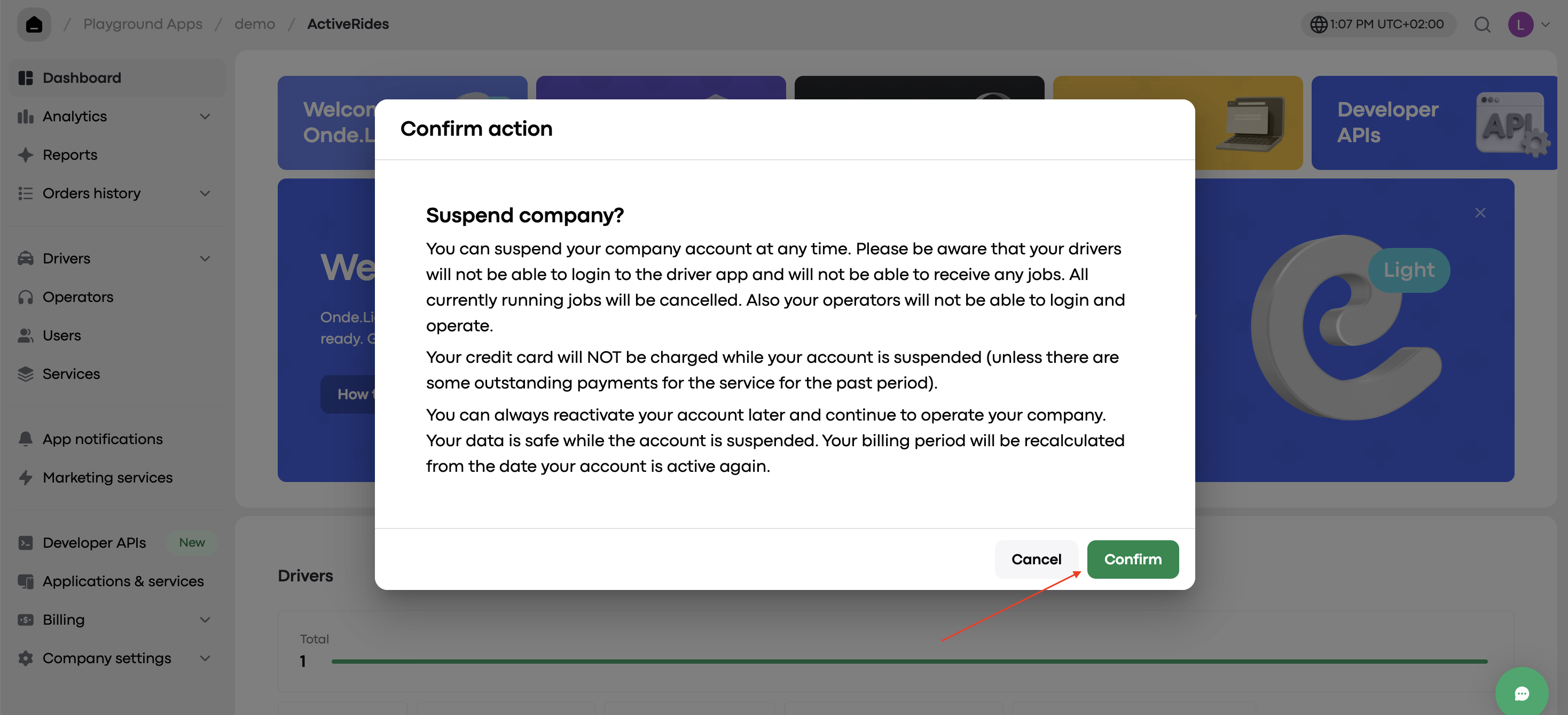
Step 3. Click "Confirm"
A pop-up will ask you to confirm the suspension.
You can reactivate your company at any time. All your data will remain safe while the account is suspended.