Both drivers and company managers have easy access to review commission deductions and other driver plan-related transactions.
🚖 For drivers:
Drivers can check their transaction history through the app:
Open the Driver App
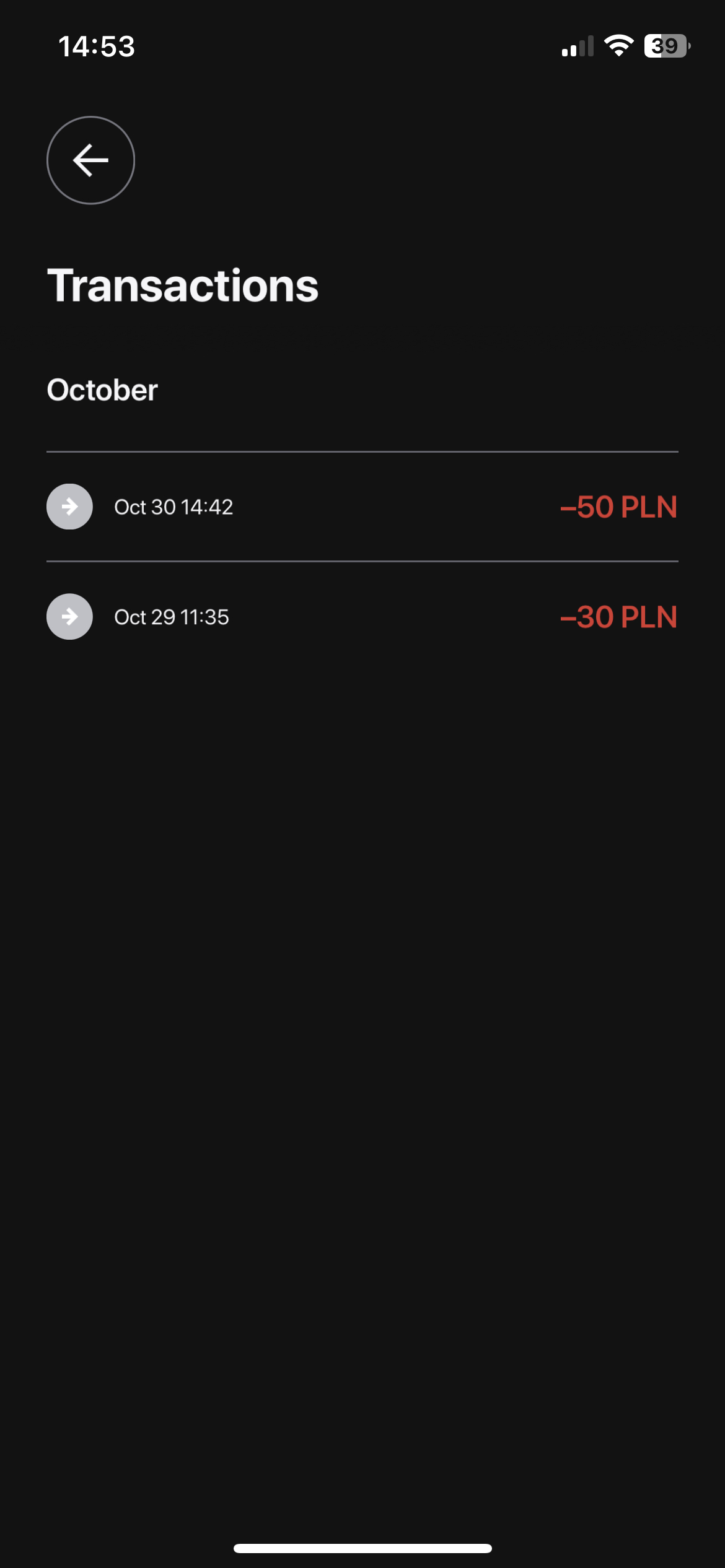
Go to the “Wallet” tab in the profile and choose “Transactions“
View the full list of balance changes:
🤓 For company managers:
Managers can track driver transactions via My hub:
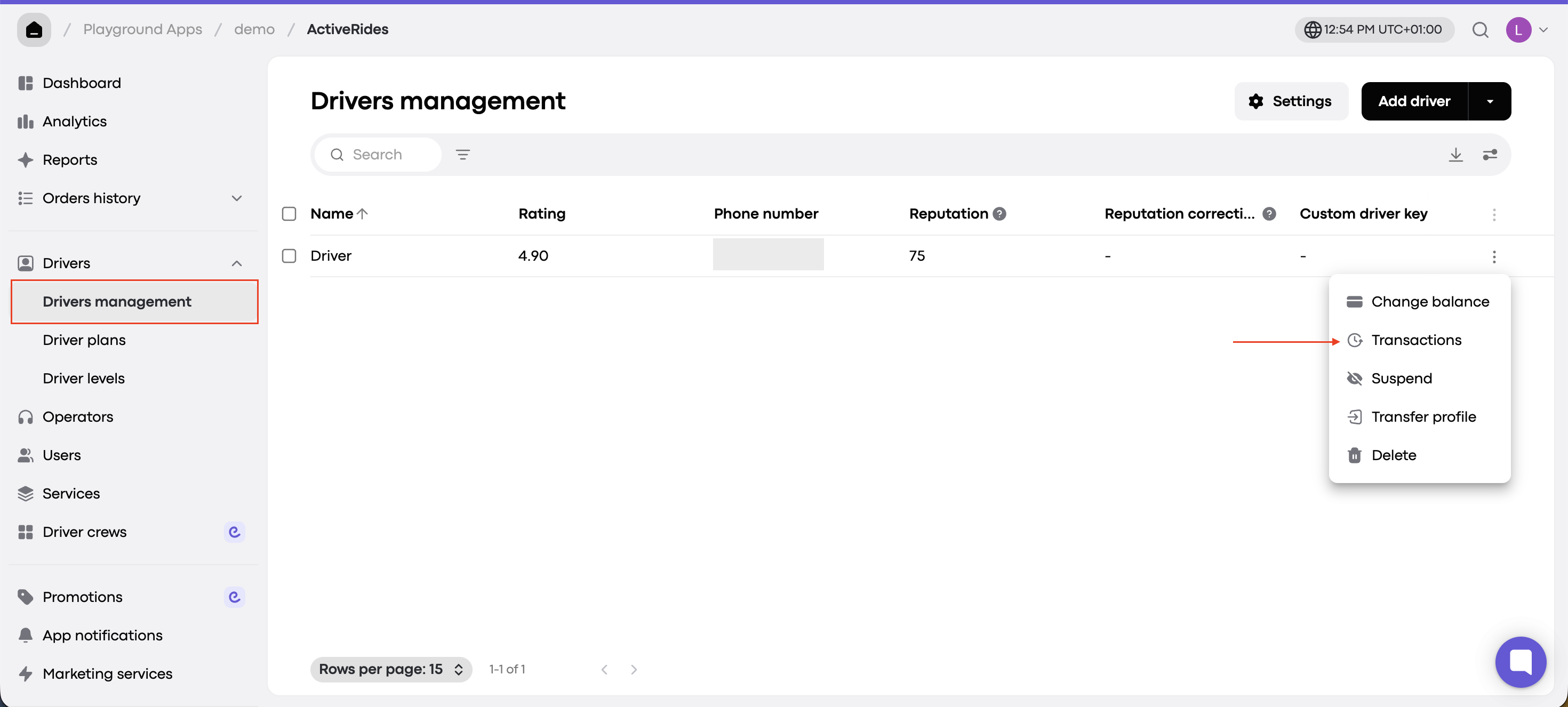
Navigate to Drivers → Driver management
Find the driver whose data you want to check
Click the three-dot menu (More) next to their name
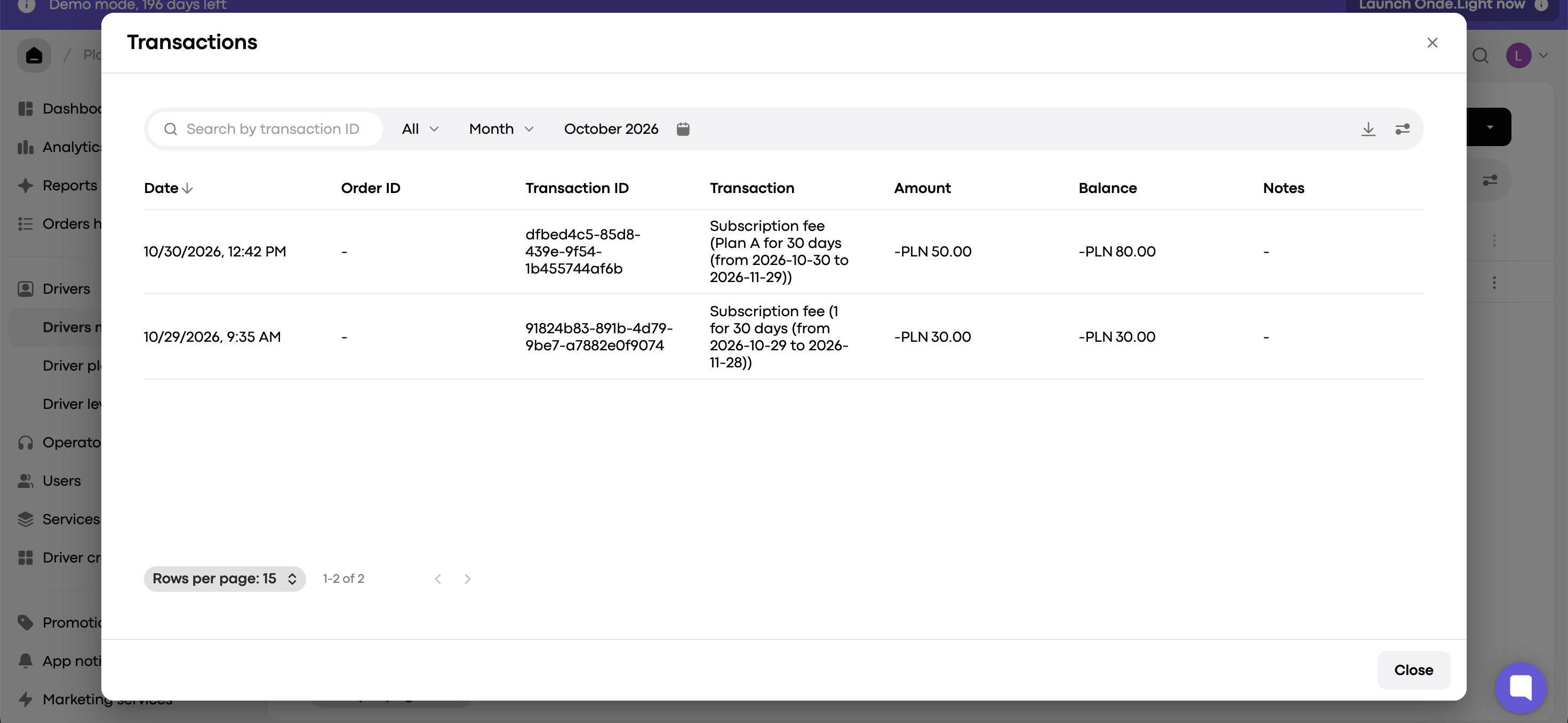
Select “Transactions” from the dropdown
From there, you’ll have full access to the driver’s transaction history, including subscription charges and commissions.This allows for transparent tracking of driver-related costs and easier financial oversight.