
How to assign a plan to a driver from their profile

Learn about assigning plan to drivers from their profiles

You can assign a plan to any driver directly from their profile in just a few clicks.

Here’s how to do it:

  1. Go to the "Drivers" => "Drivers management" tab in your My hub dashboard.

  2. Open the profile of the driver you want to assign a plan to.

  3. Click on "Next subscription plan".

  4. From the drop-down list, select the plan you want to assign.

  5. Press "Save" to confirm your changes.
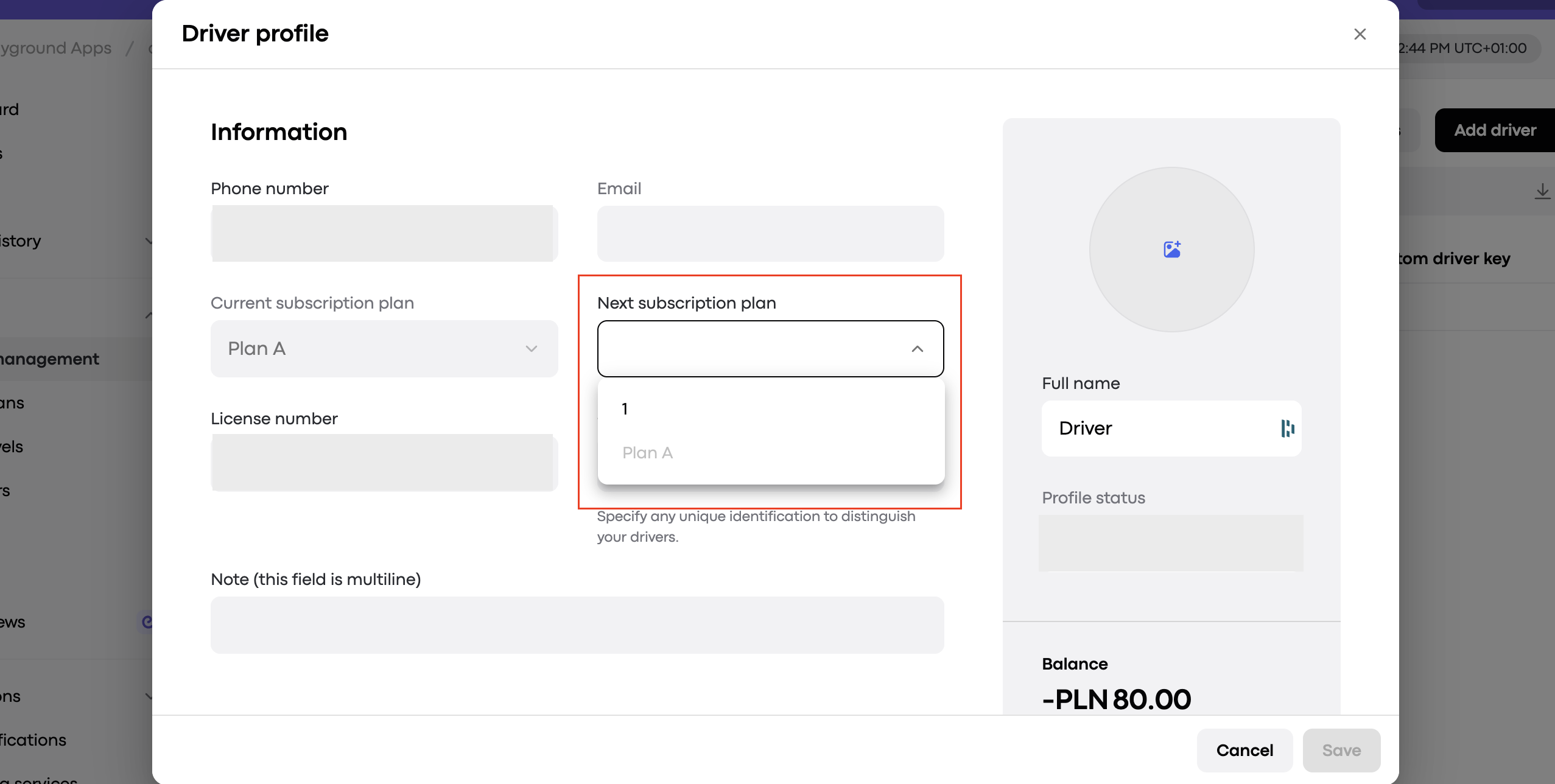
The Driver profile Information screen shows the Next subscription plan dropdown open with options 1 and Plan A, outlined in red. Visible: Driver profile, Information, Phone number, Email, Current subscription plan, Plan A.

Did this answer your question?
😞
😐
😁