
Once you’ve created a new driver subscription plan, you can easily assign it to all drivers at once. Here’s a quick step-by-step:
Step 1: Create the plan
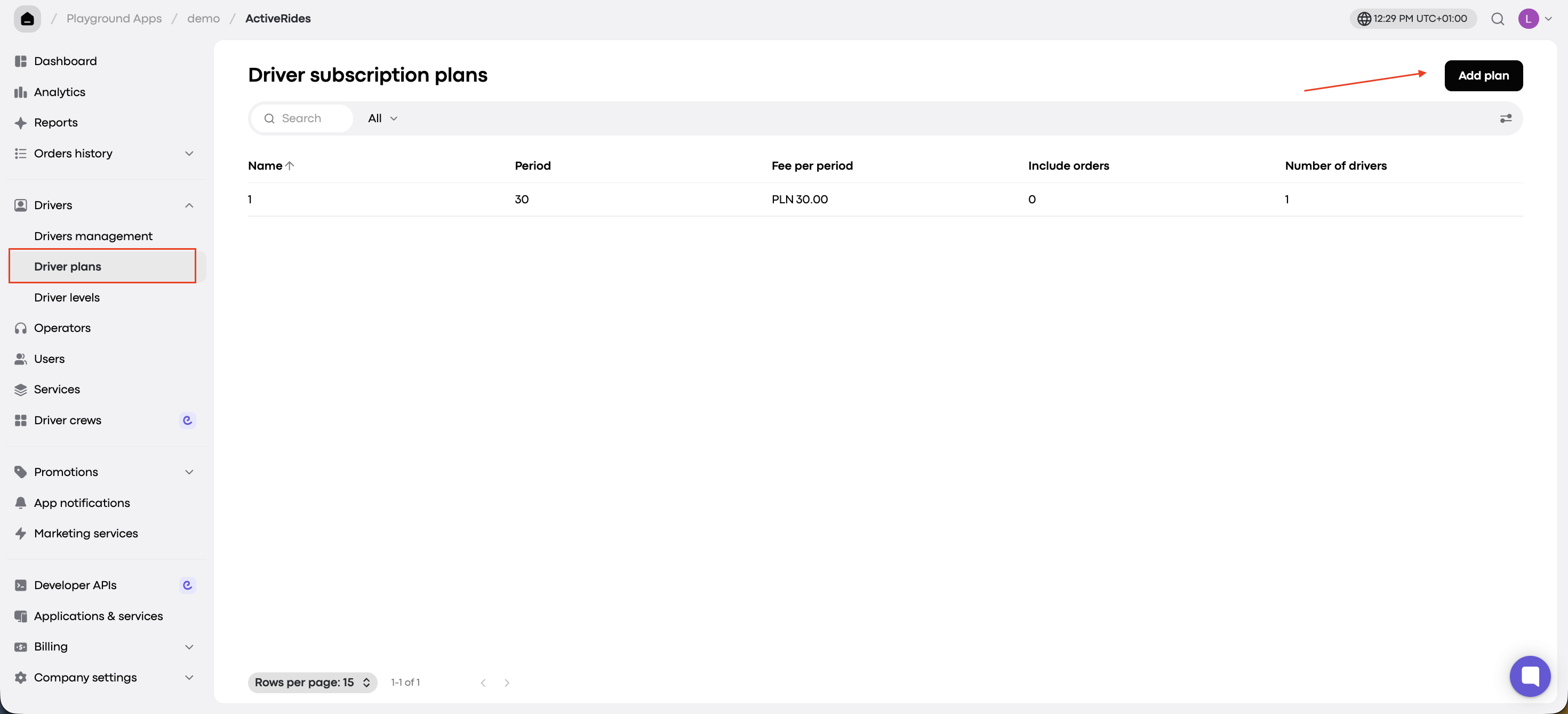
Go to Drivers > Driver plans > Add plan.
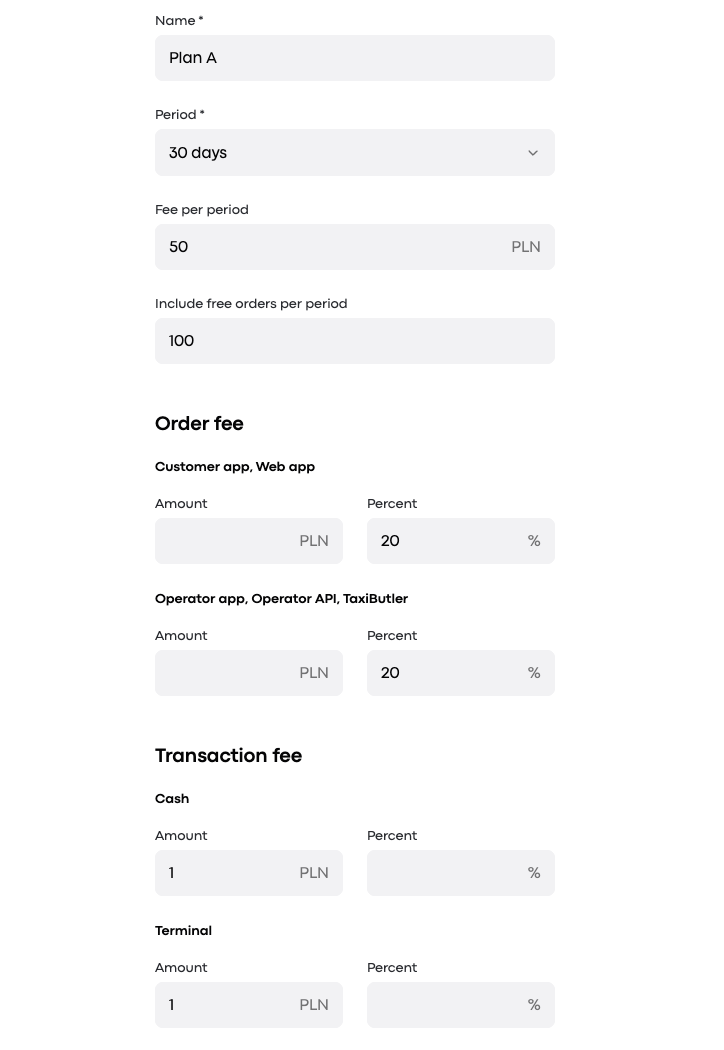
Fill in all required fields, including:
- Order fee
- Transaction fee
- Any and other commission details.Click “Next” to save the plan and move to driver selection.
Step 2: Select drivers
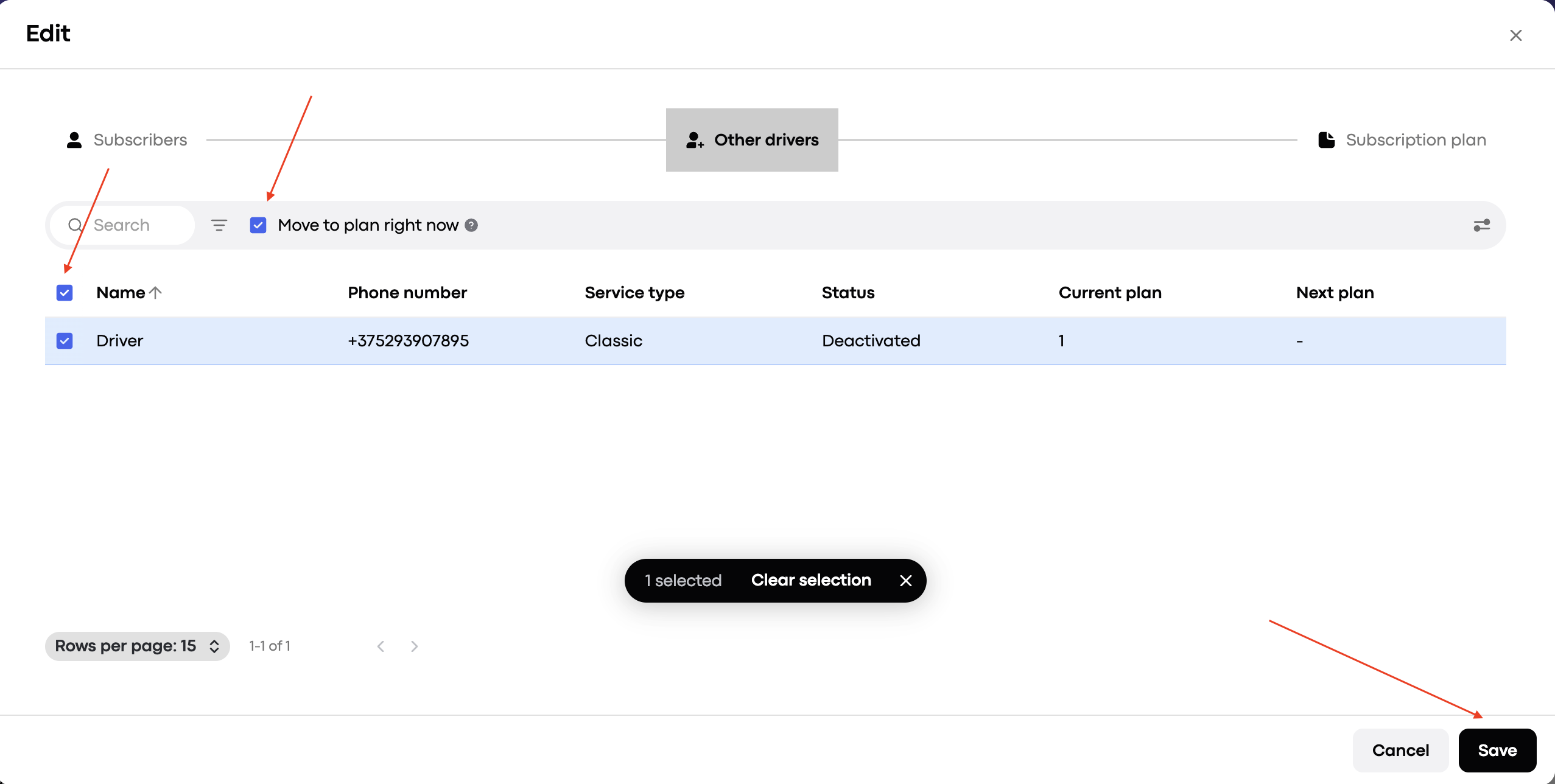
On the “Subscribers“ tab you will see all the drivers that are already on the plan.
On the driver selection screen, click the “Other drivers” tab checkbox to include all drivers in the new plan.
Tick “Move to plan right now” to activate the plan immediately.
Click “Save” to confirm and apply the changes.
This approach ensures all selected drivers are instantly moved to the new plan with minimal effort.