Driver plans help company owners to automate driver commission charges. There are a number of options to set different driver plans for individual drivers or a group of drivers.
Step-by-step guide
Navigate to the "Driver plans" tab under the “Drivers” section in My hub.
Click on “Add plan”.
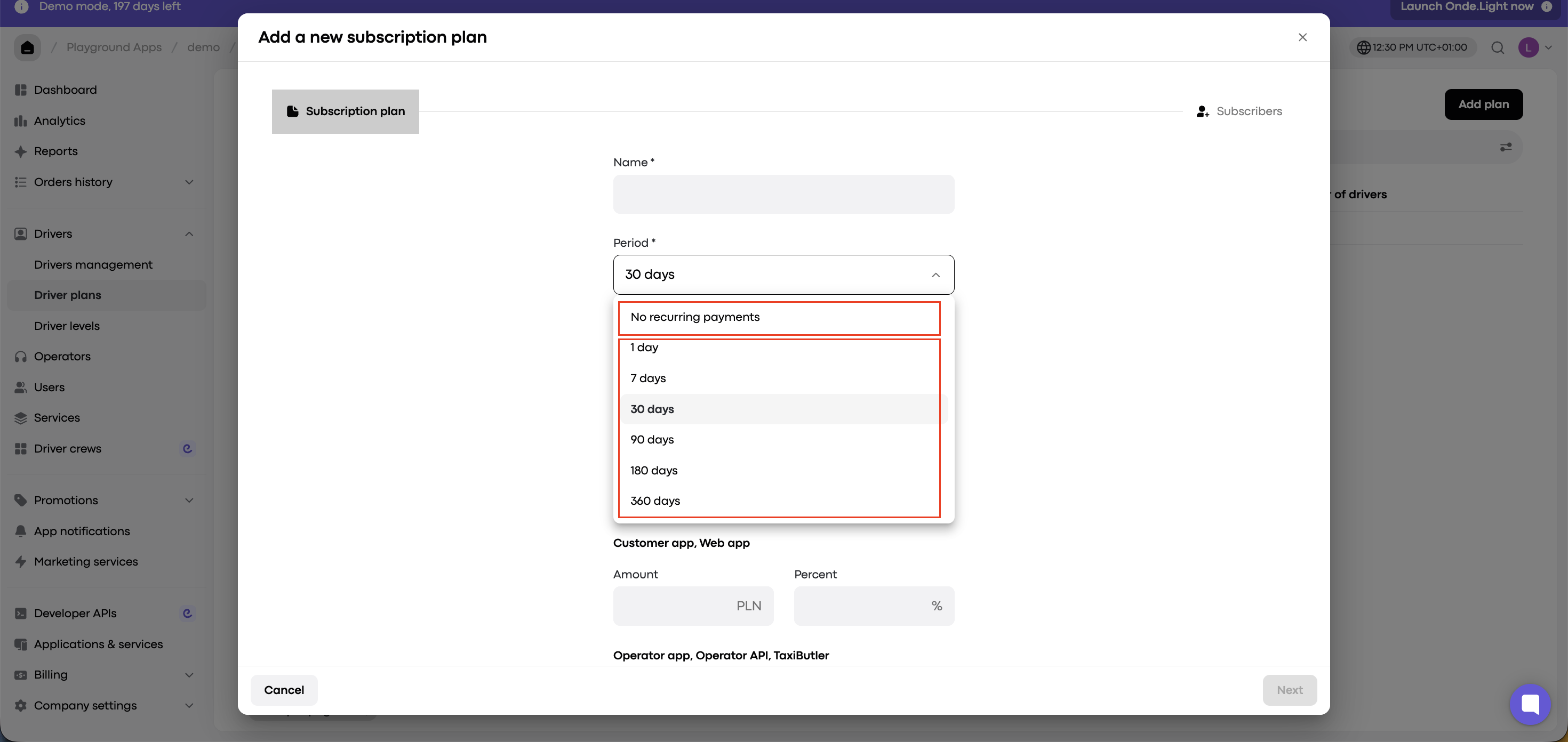
From the drop-down menu, select a plan type.
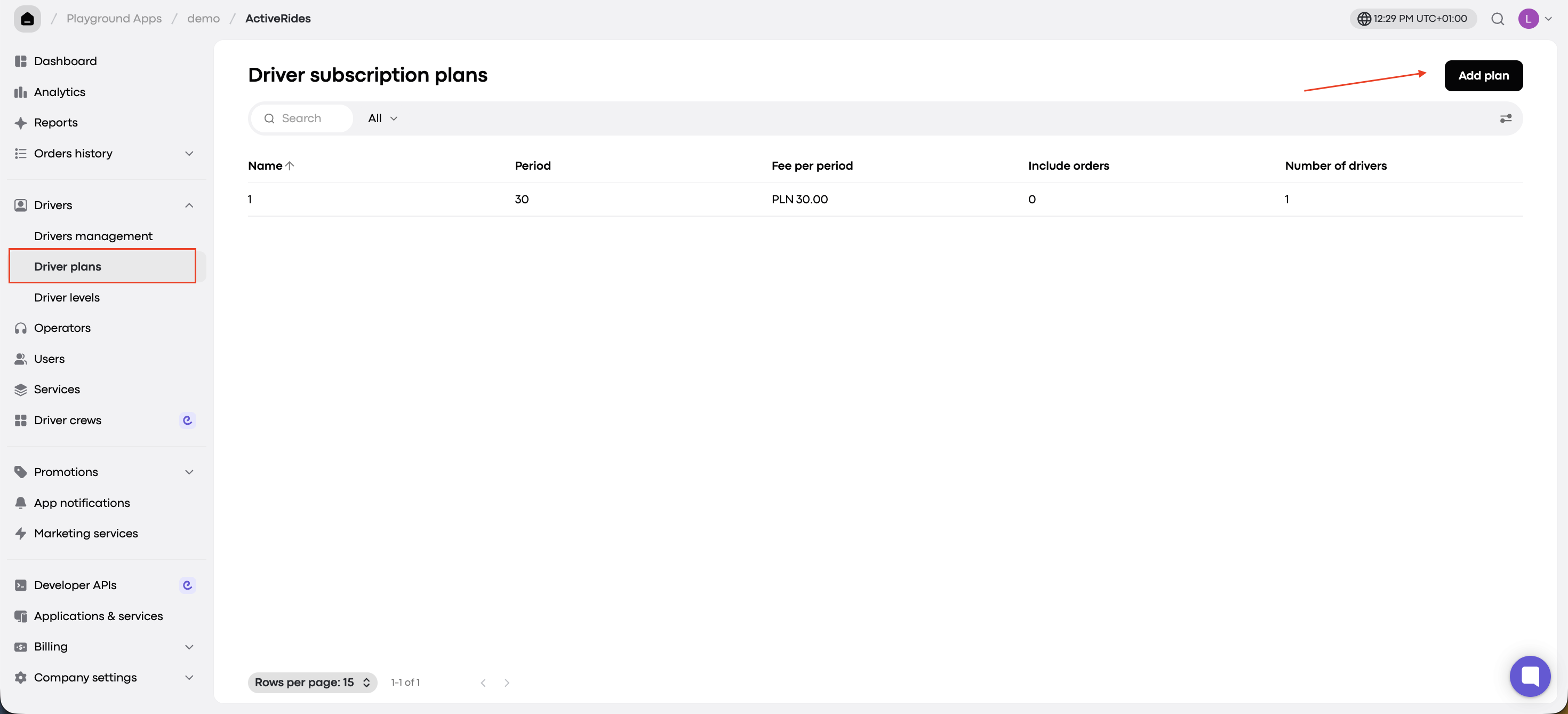
Driver plan types
Recurring Plan
Set a fee per period and define the number of orders included in that fee.
The fee is automatically charged at the start of each cycle.
Non-Recurring Plan
No billing cycle.
Drivers are billed based on order and transaction fees only.
Example: monthly recurring plan
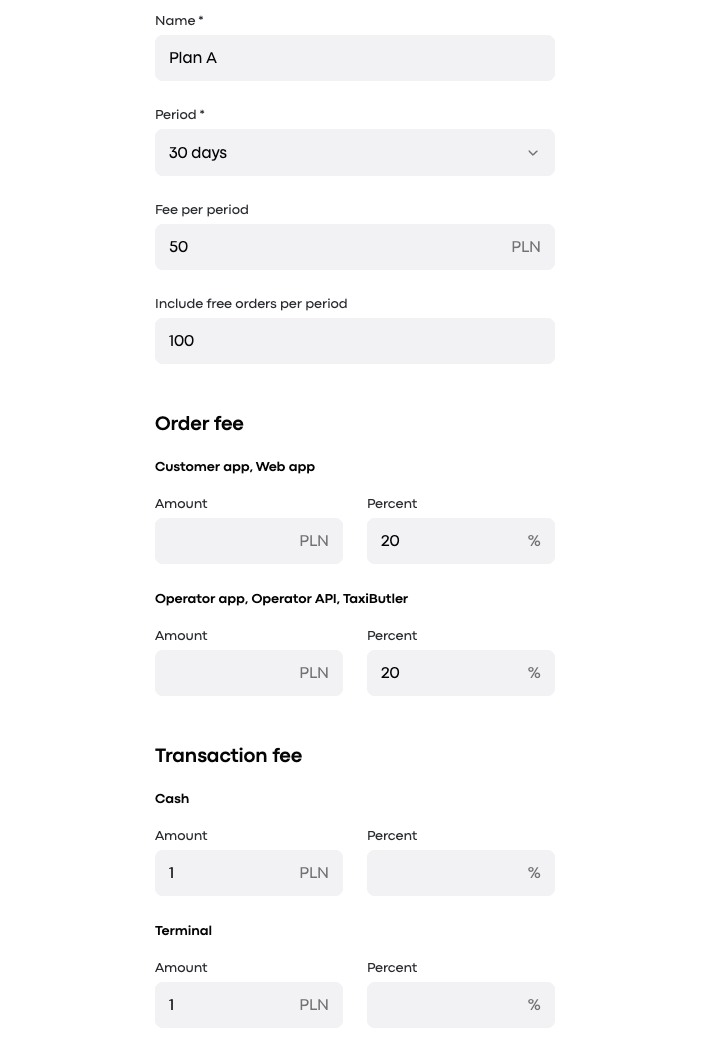
Let’s say you’re creating a monthly recurring plan:
Fee per period: $50
Orders included: 100
At the start of every 30-day cycle, a driver will be charged $50 and can complete up to 100 orders with no additional fees. If they exceed 100 orders, they’ll incur extra charges as follows:
Order Fee (based on source):
20% for orders from Web app
20% for orders from Operator app
Transaction Fee (based on payment method):
$1 if paid by cash (other payment methods can be configured)
Let’s review the above plan:
👆 Note: Options with the “Onde” label in My hub are available only on the paid Onde platform, not in the free Onde.Light version.

A sample of commission charges:
Say a driver has exceeded the limit of 100 orders. The trip cost is $10. The order is from customer app and paid by cash. A driver will be charged:
Order fee (20% of $10) = $2
Transaction fee = $1
Total charge: $3 deducted from driver’s balance
Final steps
Once you’ve filled in all the plan details:
Click “Next”
Select drivers to assign the plan to
Click “Add subscription plan”
You can also assign plans later directly from a driver’s profile.
