Price rounding helps you show cleaner, more attractive trip prices. It can:
Make cash payments easier by avoiding tricky change.
Help you meet local regulations.
Improve how prices look, which can boost customer trust and retention.
1. Estimated price (shown to the customer before the ride)
Always rounded up.
For display only. The final price is calculated from the unrounded estimate.
2. Final trip price
Can be rounded down if there are no extra fees.
Can be rounded up if there are on-top fees or transaction fees, to keep the total clean and accurate.
Go to My hub.
Open the Company settings tab and select General.
Click Edit settings.
Choose your preferred Degree of accuracy.
You can also hide rounding details from drivers, customers, or both by checking the relevant options:
Hide degree of accuracy from Driver
Hide degree of accuracy from Customer
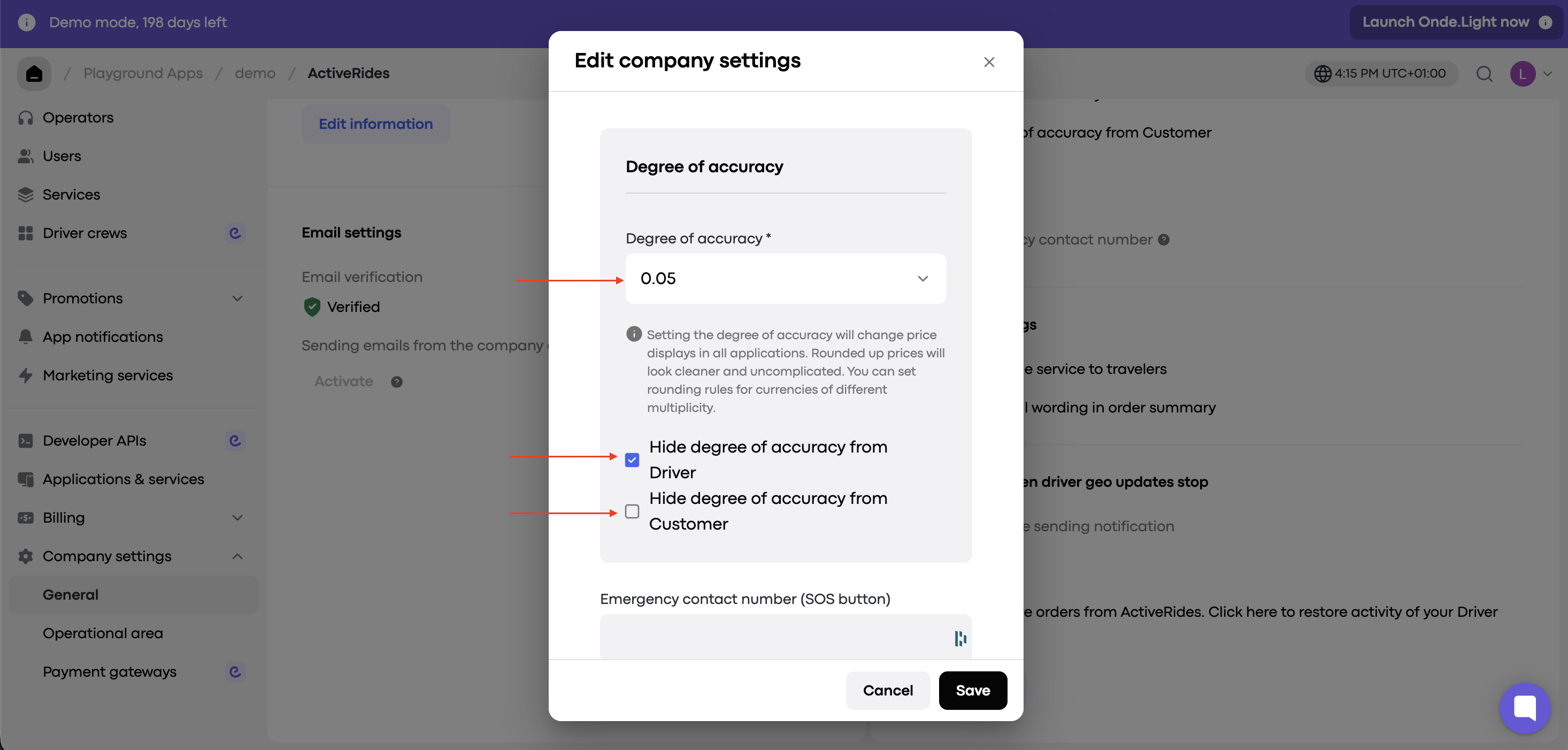
Default: 0.00
No rounding is applied. Prices stay exact.
Set to 1.00
Prices round down to the nearest whole number (if no extra fees are added).
2.2 → 2.0
2.7 → 2.0
Set to 0.10
Prices round down to the nearest tenth.
2.27 → 2.2
2.62 → 2.6
Set to 1000.00
Prices round to 1000, 2000, 3000, and so on.
Example: 1750 → 1000
Set to 500.00
Prices round to 500, 1000, 1500, and so on.
Example: any price between 1500 and 1999 → 1500
Tip: Always test your settings before applying them to make sure they suit your pricing strategy.
