Every taxi company has rush hours when demand exceeds supply. With this option, drivers of one service type can receive orders for another, so more orders get picked up during busy periods.
In My hub, go to Services.
Open the service whose orders you want other drivers to receive.
In the General settings tab, scroll down to Allowed service types.
Turn on the toggle next to each service type whose drivers should receive these orders.
Example: To let Business drivers receive Classic orders, open the Classic service and turn on Business.
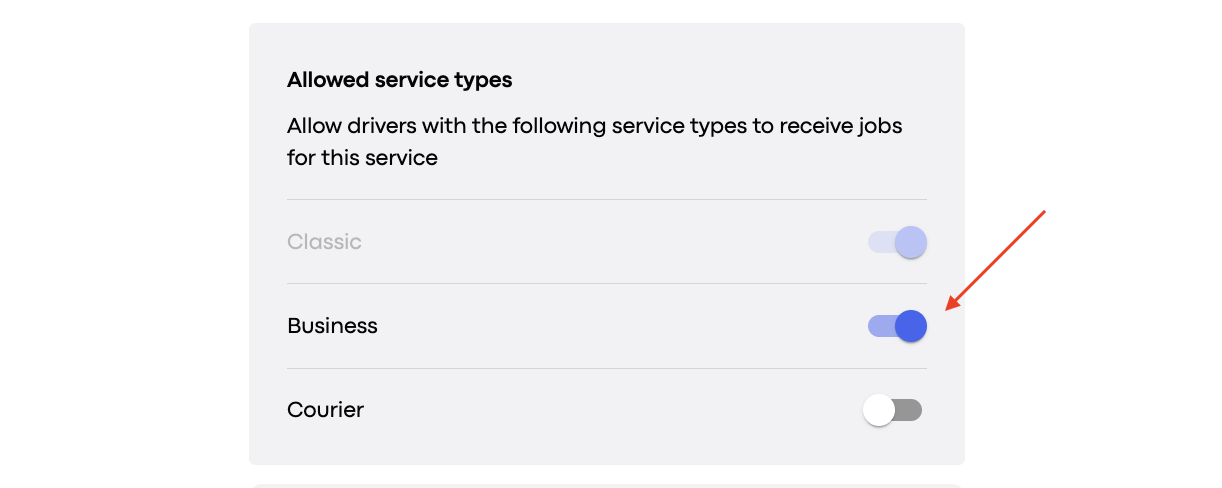
Tip: The setting is on the service the customer orders, not on the drivers’ own service.
Let’s say Business drivers are allowed to receive Economy orders.
A customer orders an Economy ride.
The system looks for suitable drivers in the area. In the example below, two are available: one Economy and one Business.
The system builds a queue of these drivers based on their karma, waiting time, and ETA. For details, see How the intelligent queue algorithm works.
The order goes to the first driver in the queue. If that driver ignores or rejects it, it’s offered to the next driver.
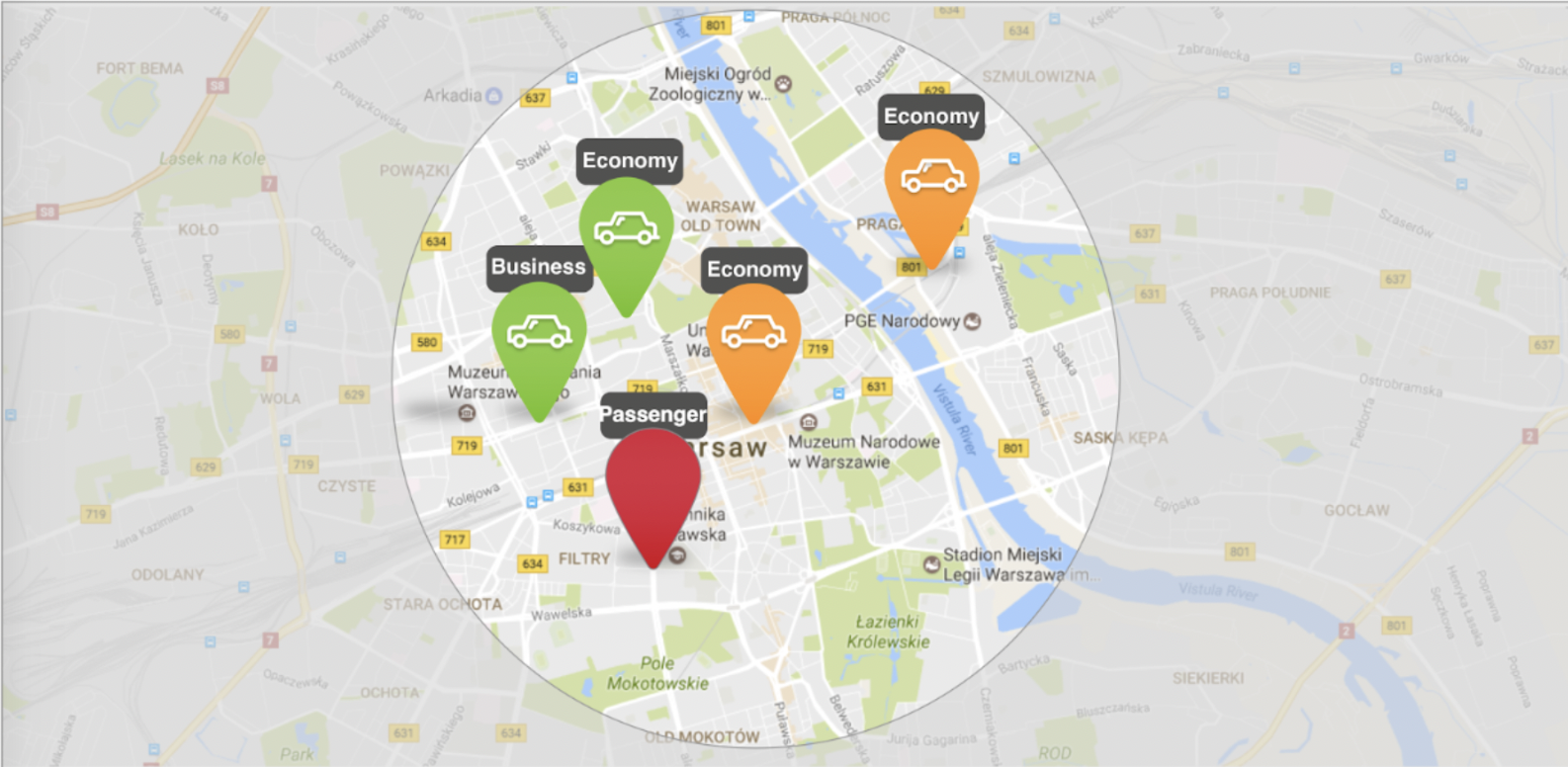
The customer always pays for the service they ordered, not the one they receive. If a Business driver accepts an Economy order, the customer sees them as an Economy driver and pays the Economy fare.
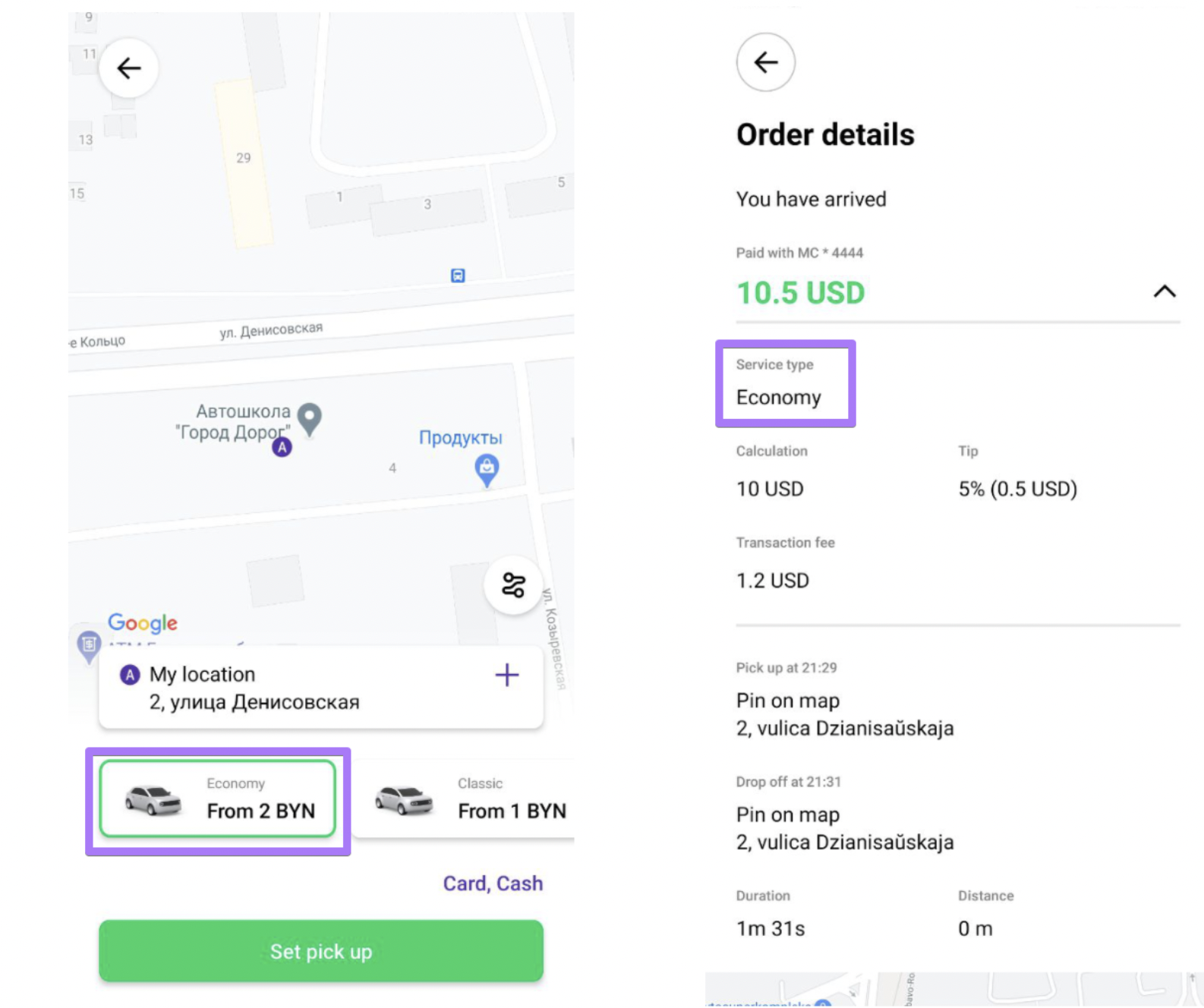
⚠ Recommendation: Don’t enable this option for higher-level services. For example, don’t let Economy drivers receive Business orders, because customers would pay the higher fare for a lower-level service.
Yes. When the system offers an order, the top of the driver’s screen shows the service the customer ordered. By accepting, the driver agrees to that service’s fares. If the driver ignores or rejects the offer, it goes to the next driver in the queue.
