The additional fee helps cover extra charges required by local regulations, such as VAT, taxes, or other service-related costs.
To set additional fee rules proceed to Services > select a specific Service from the list > Fee settings > Additional fee
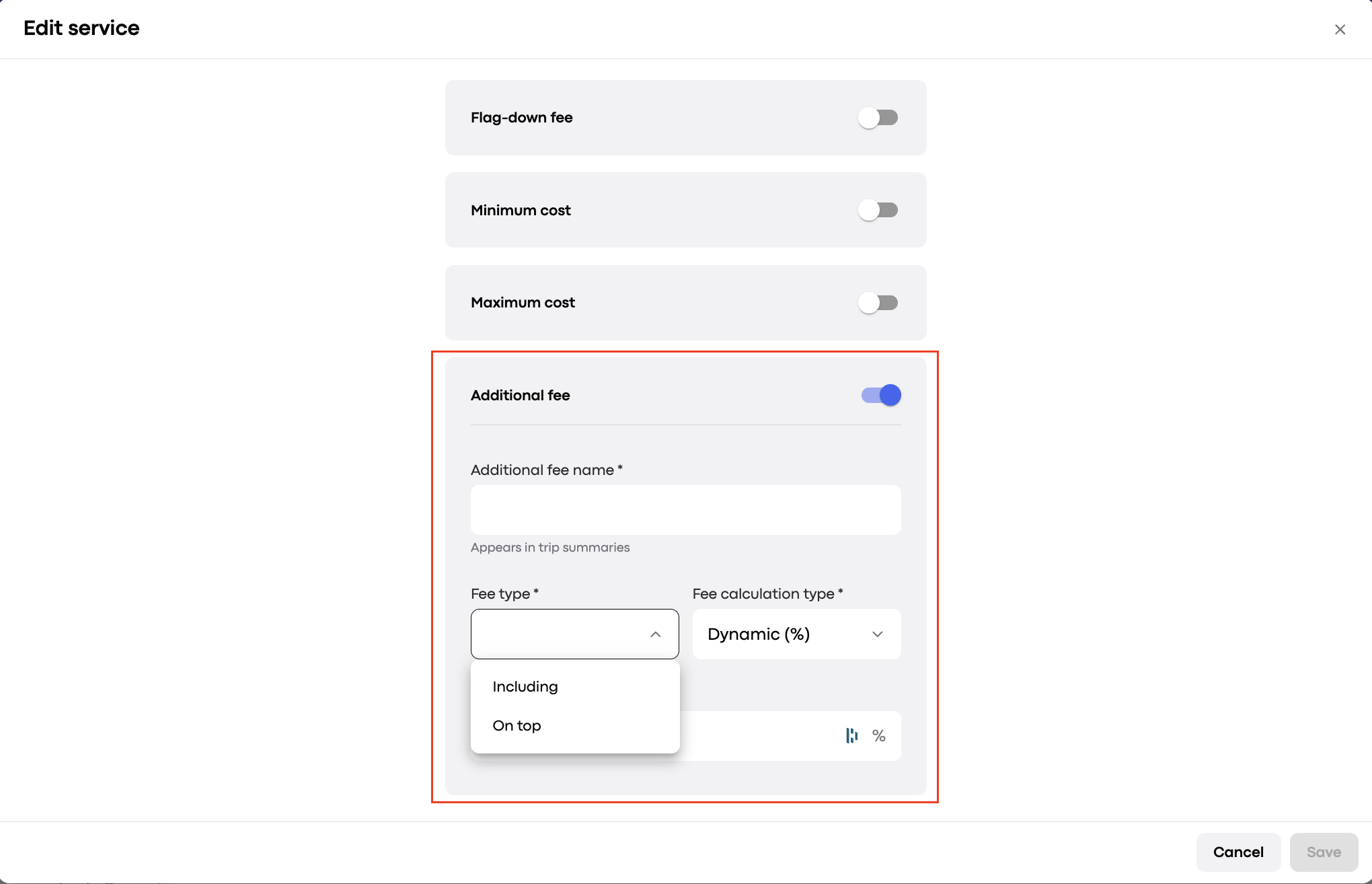
Including: The fee is included in the trip cost. It is shown as an informational note, for example: “Additional fee 10%, VAT is included in the trip cost.” This is visible in:
Price estimate before booking (for operators)
Trip receipts and trip history (for customers, drivers, operators, and the company)
On top: The fee is added on top of the trip cost and appears as a separate line in receipts. Example: “Additional fee 10%, VAT is added on top of the trip cost.” This fee is shown:
Before booking (to customer, driver, and operator)
In receipts and trip history for all roles
Additional fee name: any custom label (e.g. VAT, Service Charge)
Additional fee value:
Percentage: 0–100%
Flat value: 0.1 to 999,999,999,999,999
Note: The additional fee is covered by the passenger.
Driver plan order fees: calculated excluding the additional fee (100% of the fee goes to the driver).
Driver plan transaction fees: calculated including the additional fee (the fee is shared between driver and company).
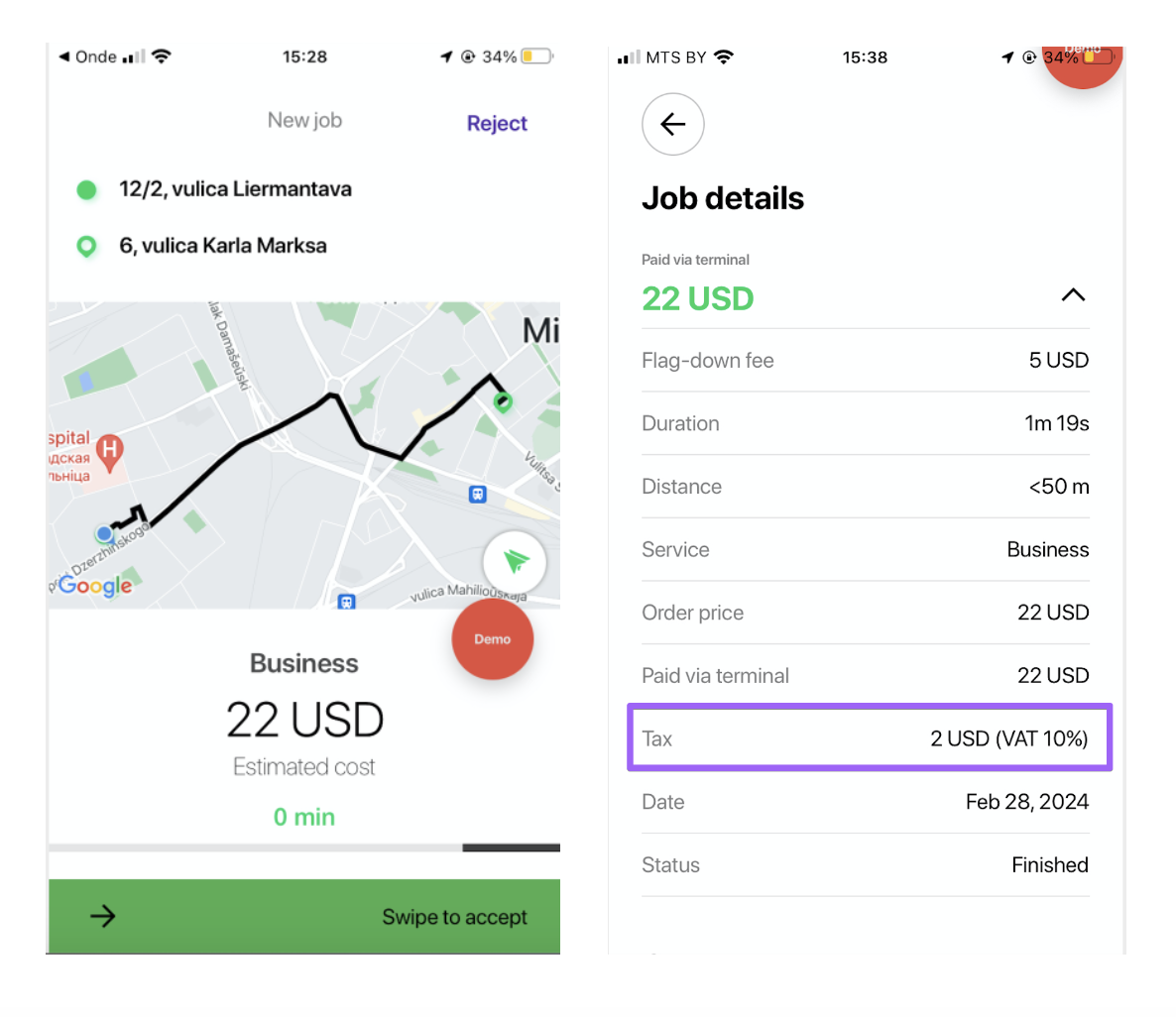
Additional fee in Driver app:
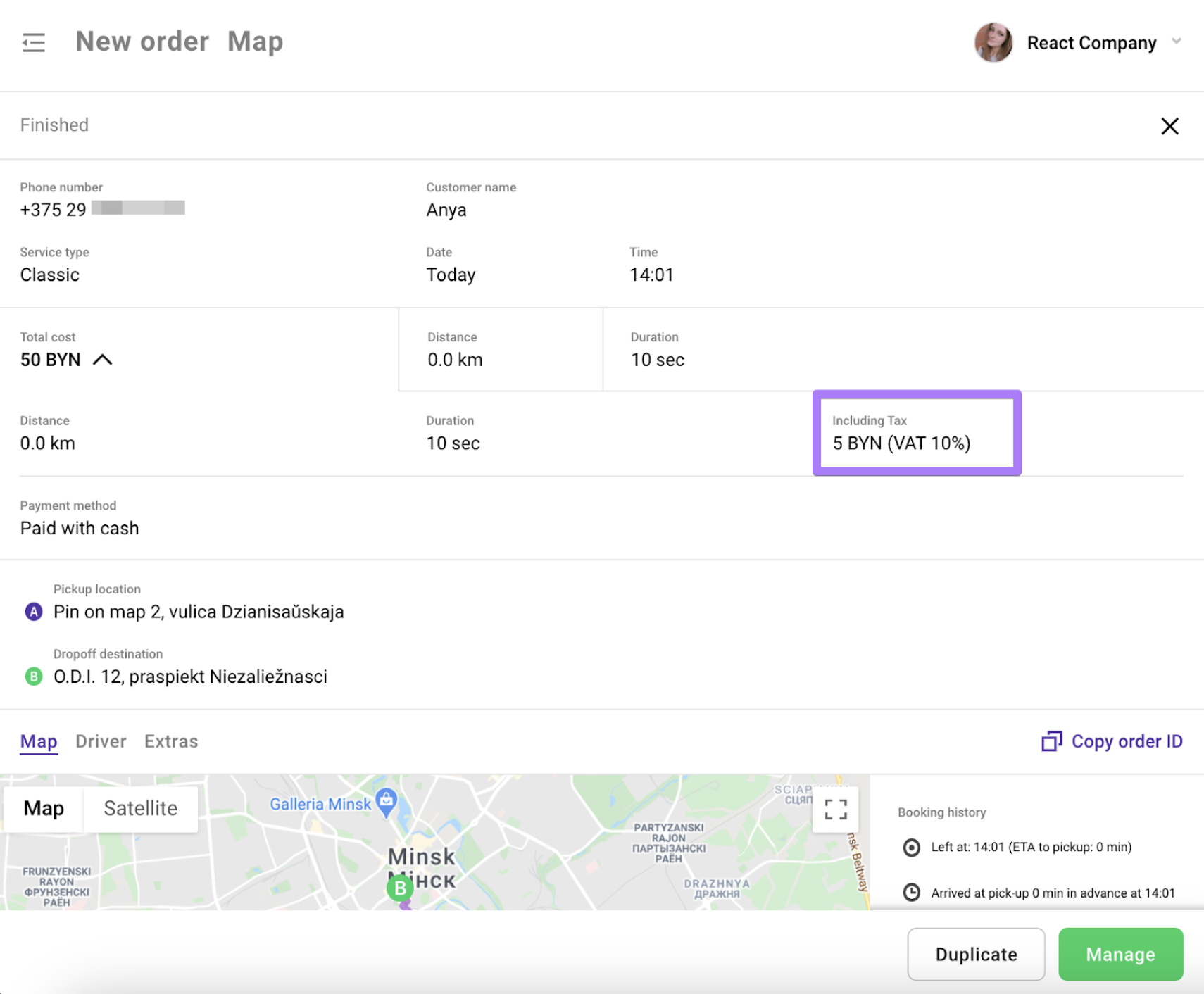
Additional fee in Operator app:
To get tips on cancellation fee configuration consult the post Cancellation fee logic.
