
Passenger App order issue: “Third company” or “Outside operational area”

Learn about solving a common issue in the Passenger app

We’ve noticed that some partners face issues when placing orders through the Passenger App.

If you see messages like:

  • “The order will be completed by a third company”

  • “Your order/address is outside the operational area”
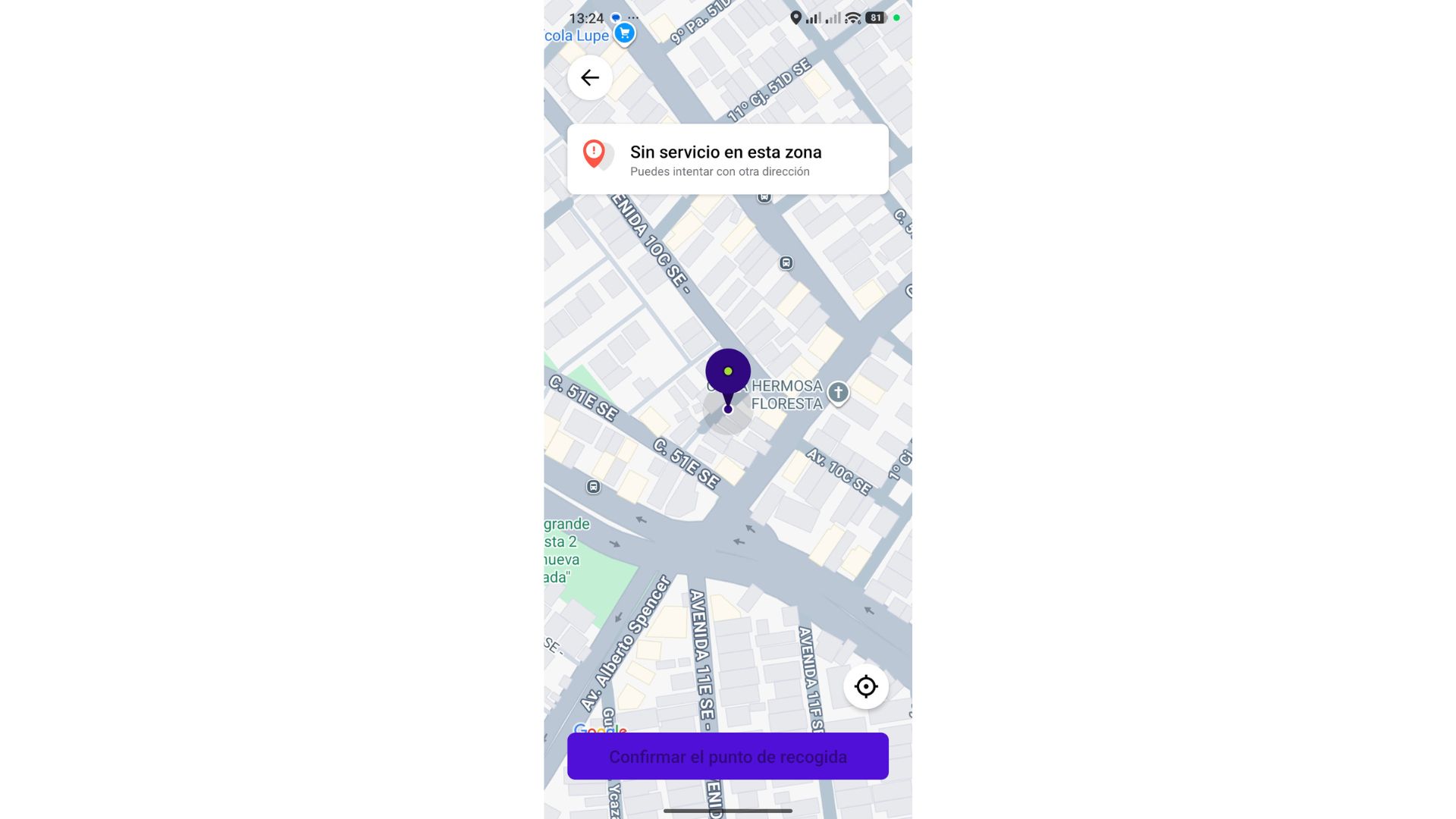
Pickup location map screen shows a selected pin near Hermosa Floresta and a notice that service is unavailable in this area. Visible: Sin servicio en esta zona, Puedes intentar con otra dirección, HERMOSA FLORESTA, Confirmar el punto de recogida.


Please check the settings below. In most cases, one of them is the reason.

Step 1: Make sure your company is in Live (Production) mode 

The Passenger App works properly only in Live (Production) mode. If your company is still in Demo mode, orders may not work as expected.

Step 2: Check that orders are enabled (Instant + Pre-booking)

In your settings, please confirm that both pre-booking and instant orders are enabled.

Path: My hub → Services → Choose a service type
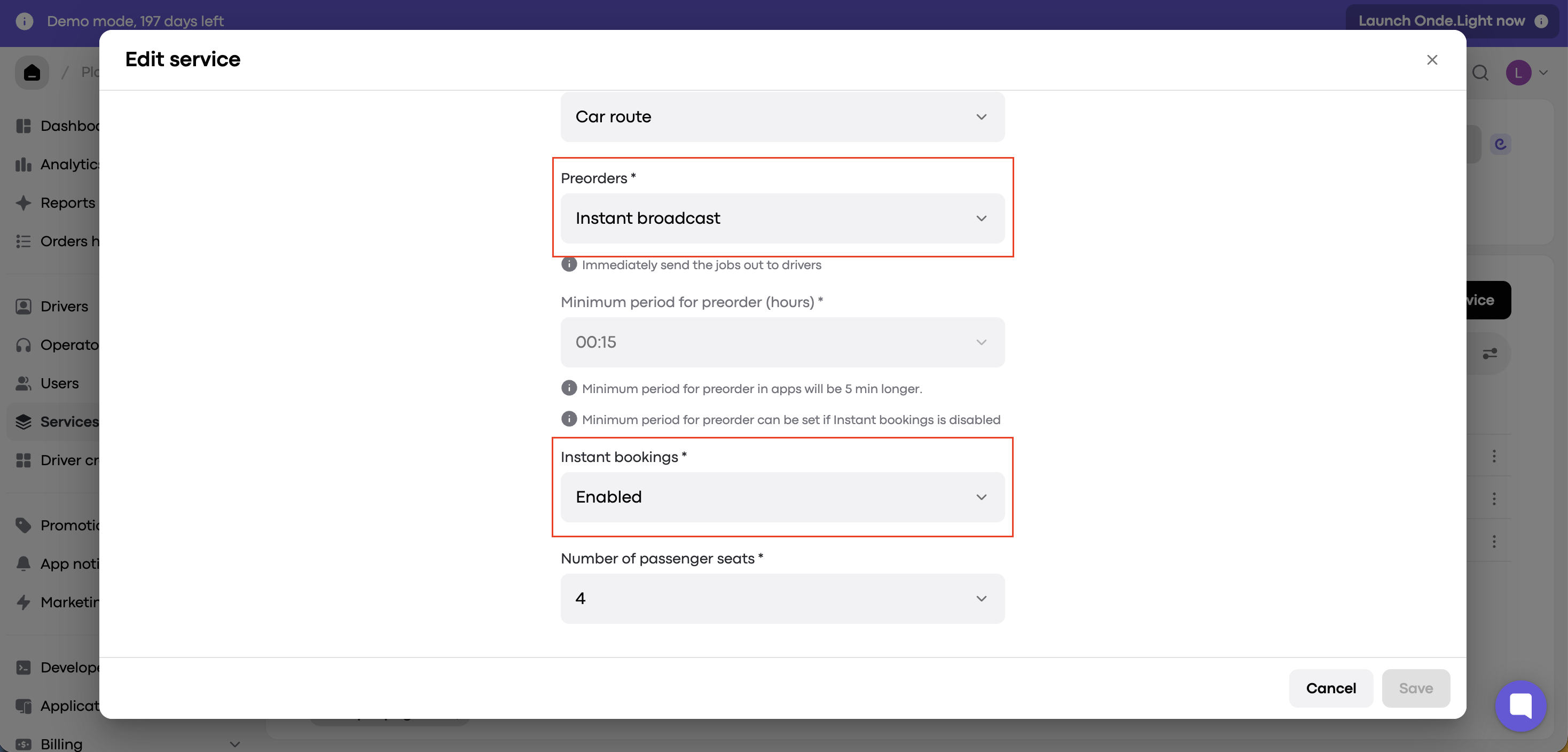
The Edit service modal shows Car route settings, with red outlines around the Preorders and Instant bookings dropdowns. Visible: Edit service, Car route, Preorders *, Instant broadcast, Immediately send the jobs out to drivers, Minimum period for preorder (hours) *.


Did this answer your question?
😞
😐
😁